2026
2026
On July 28, we released the following updates:
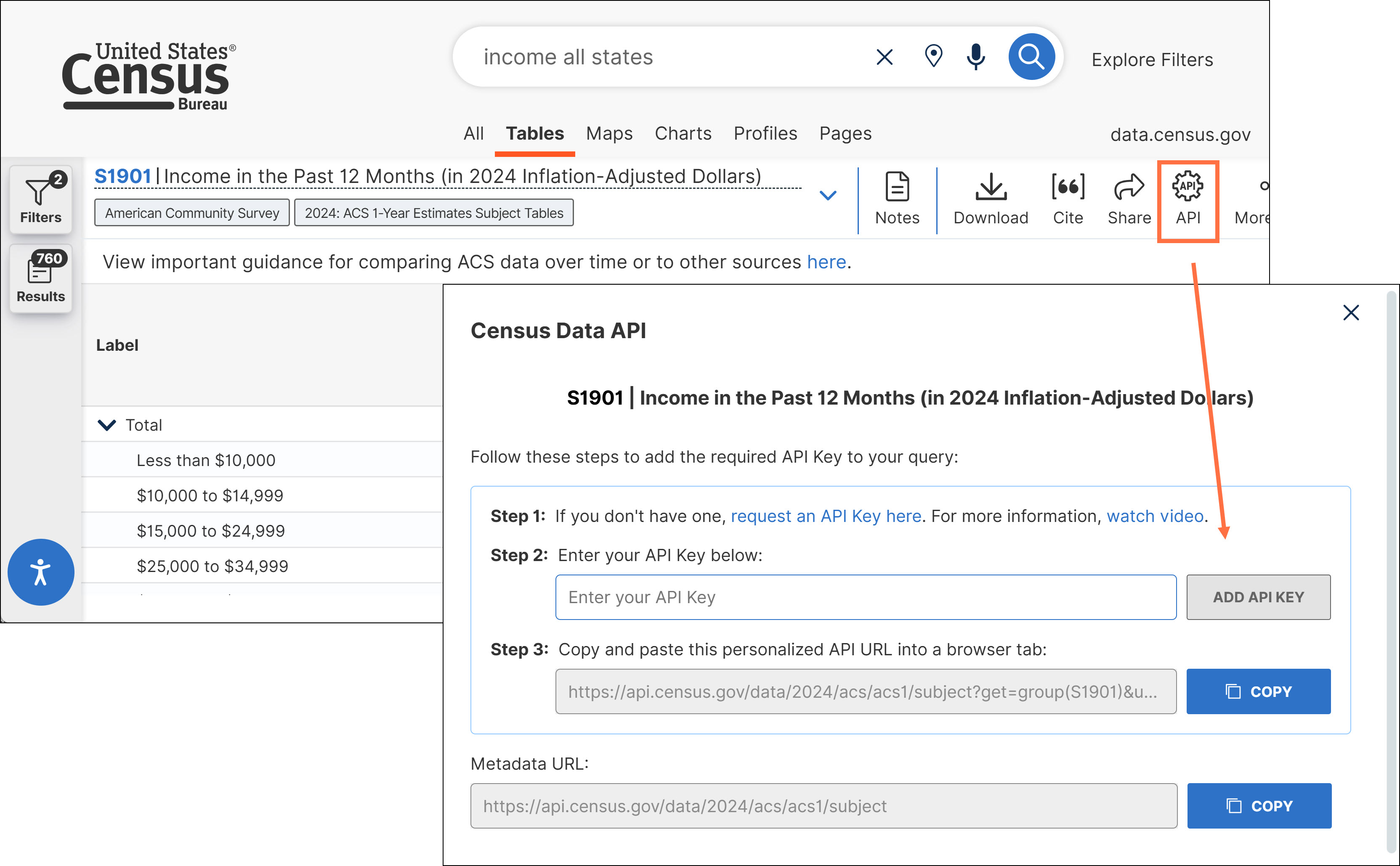
- New customizable pop-up windows to generate API queries from a table. When you click the API button at the top of a table, there is now a prompt to enter your API key to obtain an immediately usable API query for the table data.
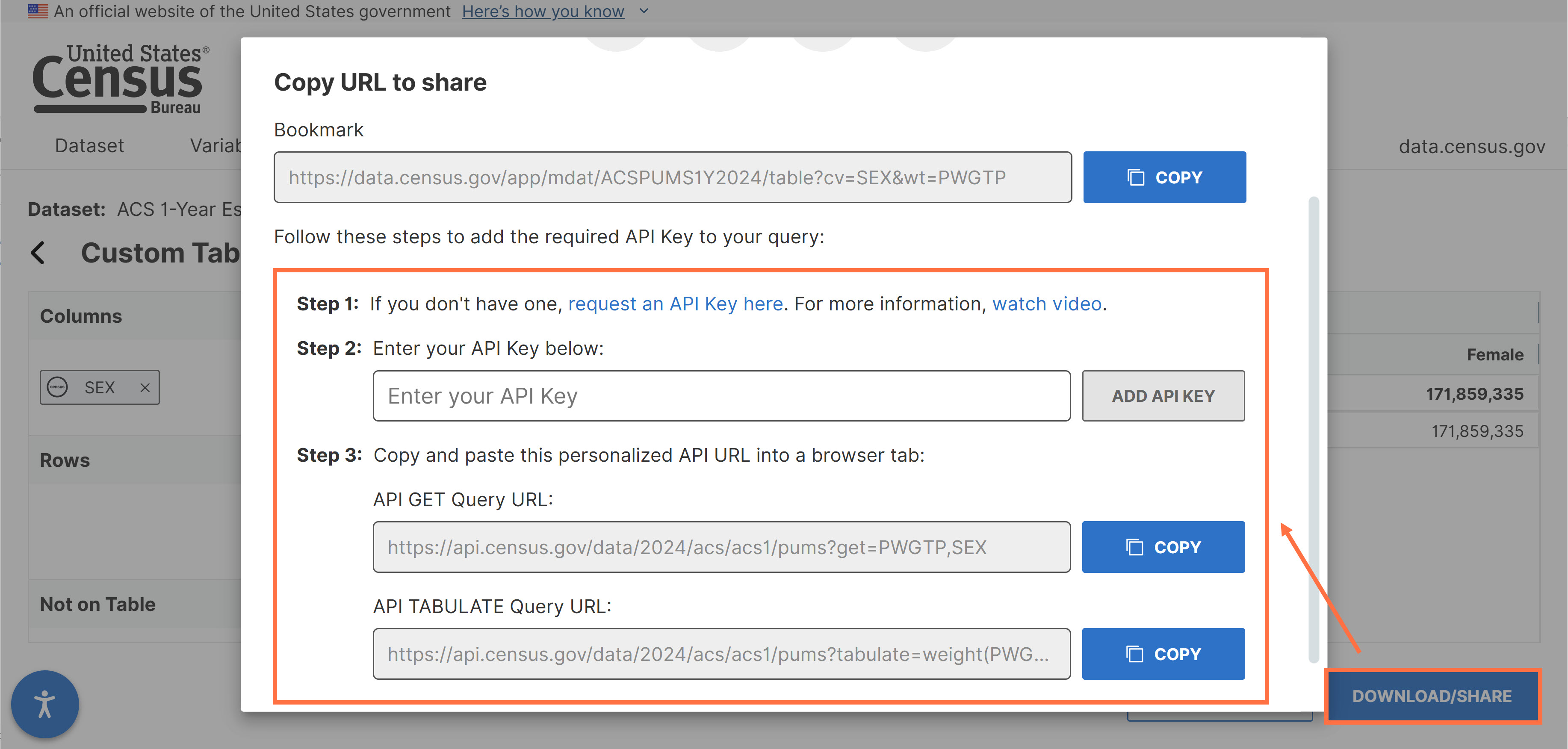
- These updates have also been applied to pop-up windows for API queries in the Microdata Access Tool (MDAT). You can enter your API key in the prompt to get API calls with the key included.
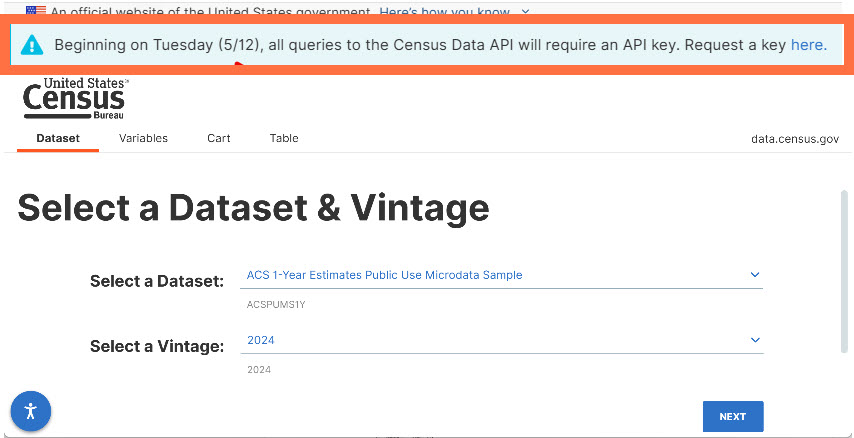
- New functionality that allows you to view critical banner messages at the top of the Microdata Access Tool.
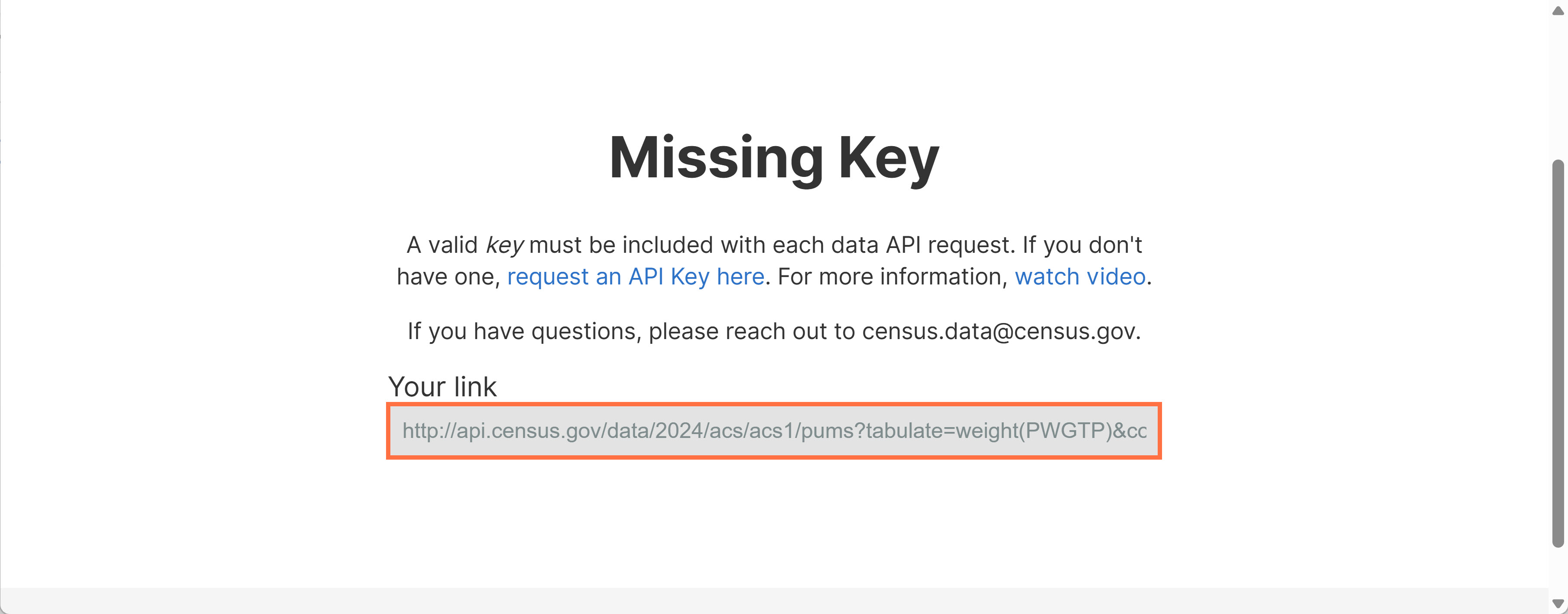
- Improved messaging to indicate required use of valid API keys. When you run a query in a web browser with a missing or invalid API key, your attempted API query is now accessible to you on the redirect page. This makes it easy to copy the query and try it again with your API key added.
- Behind the scenes updates to improve the API and Microdata Access Tool (MDAT).
- Fixes to 7 defects, including fixes that allow you to:
- View data.census.gov on touchscreen laptops without seeing prompts to rotate your device.
- Navigate throughout all parts of the Discovery Tool with your API key maintained if you chose to enter your API key while viewing metadata.
On May 14, we released the following updates to the site:
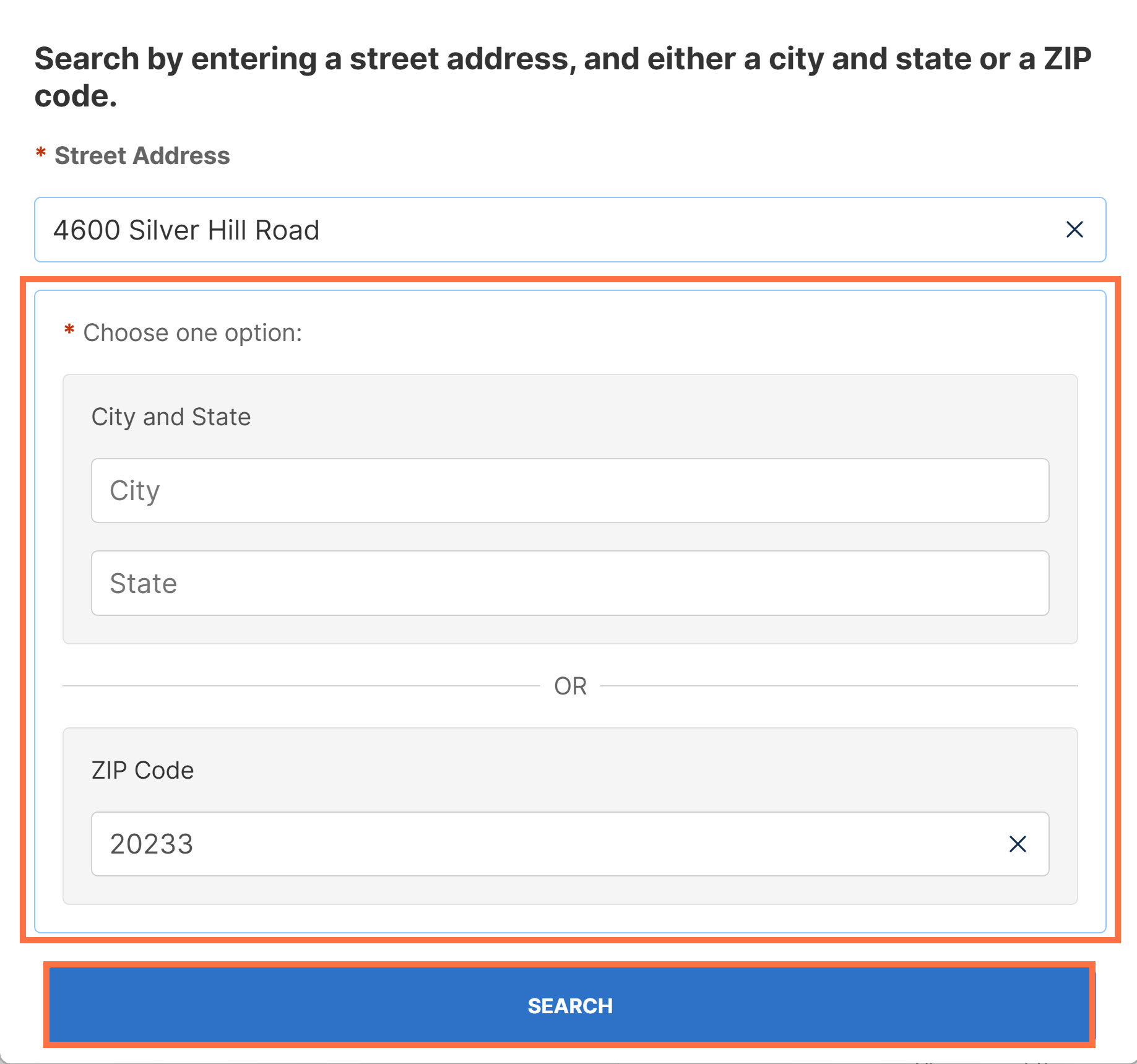
- Updates to make the search by address functionality more intuitive, including:
- New prompts to specify that a city/state or ZIP Code is needed to search by address.
- New search button added to the bottom of the address search widget: data.census.gov/addresssearchwidget
- New message that suggests rotating your device if accessing data.census.gov or the Microdata Access Tool in landscape mode on a mobile device.

You may click the “x” icon if you would like to continue using the site in landscape view.
- Accessibility updates to data.census.gov and the Population Pyramids application. These updates include the addition of more keyboard-clickable features and text-accessible labels.
- Fixes to 2 defects, including fixes that allow you to:
- View maps at the appropriate time while navigating through a Profile.
- Access the ‘View Table’ button in landscape view of the Microdata Access Tool.
On April 16, we released the following updates to the site:
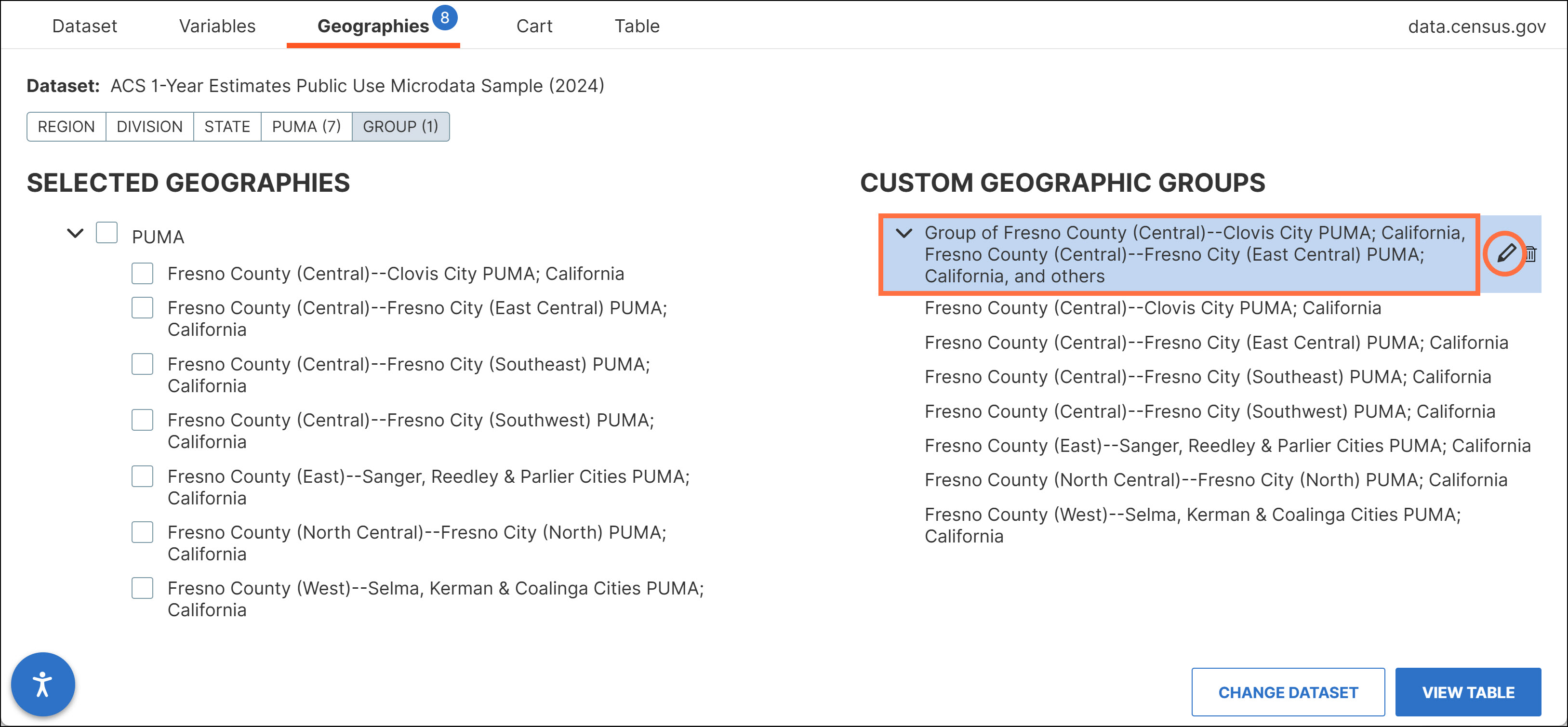
- New pencil icon to edit the titles for custom groups of geographies. This icon replaces the previous navigation at the bottom of the screen to edit titles for custom groups.
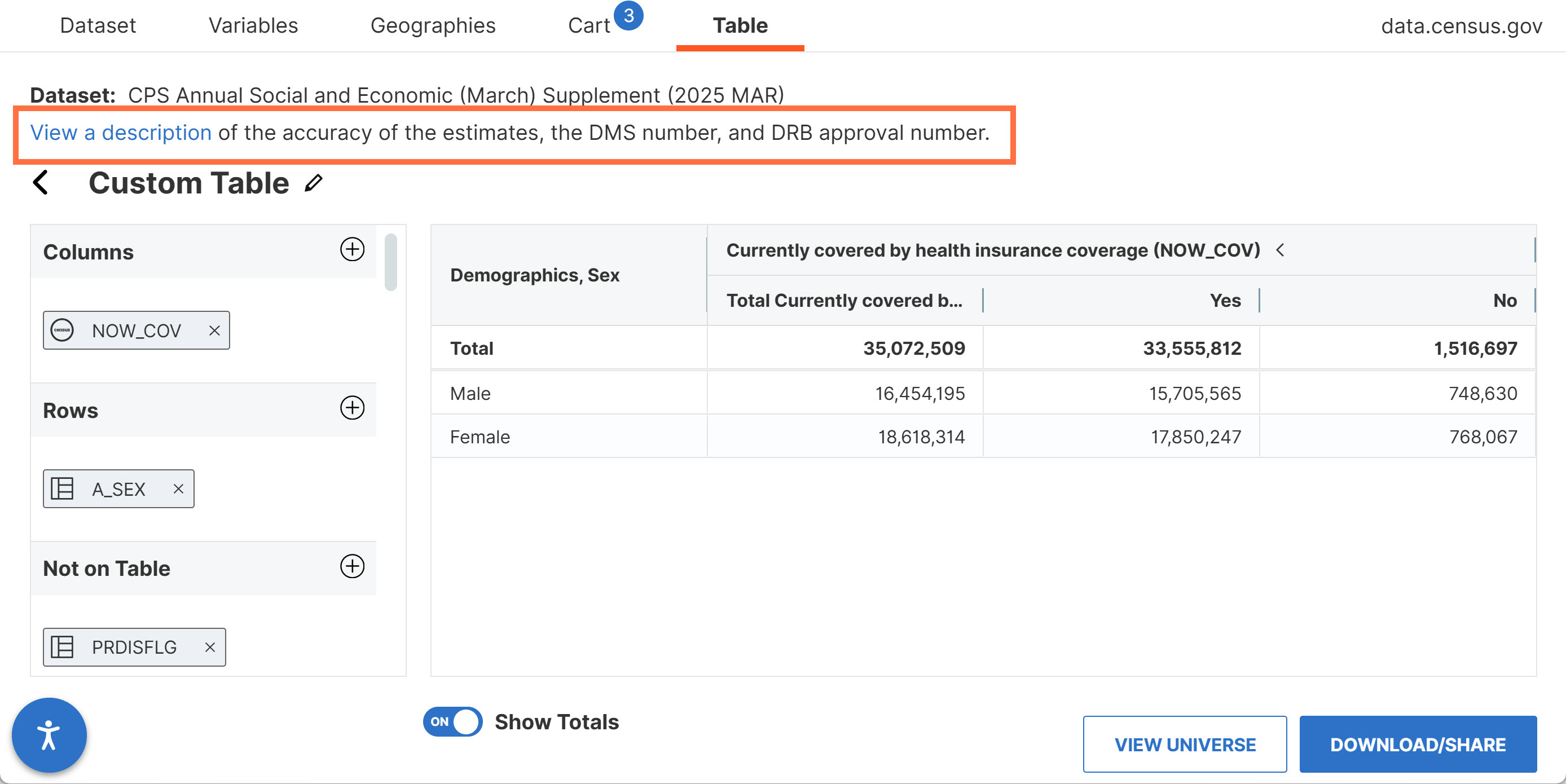
- New note at the top of custom tables created using Current Population Survey (CPS) datasets. The note provides a link to Data Management System (DMS) and Disclosure Review Board (DRB) numbers.
- Fixes to 2 defects, including fixes that allow you to:
- View information in the left panel of the Profiles clearly without overlapping text.
- View population pyramids on desktop devices even when zoomed in.
On March 19, we released the following updates to the site:
- Data powering the Profiles and population pyramids have been updated with the latest 2024 American Community Survey (ACS) data.
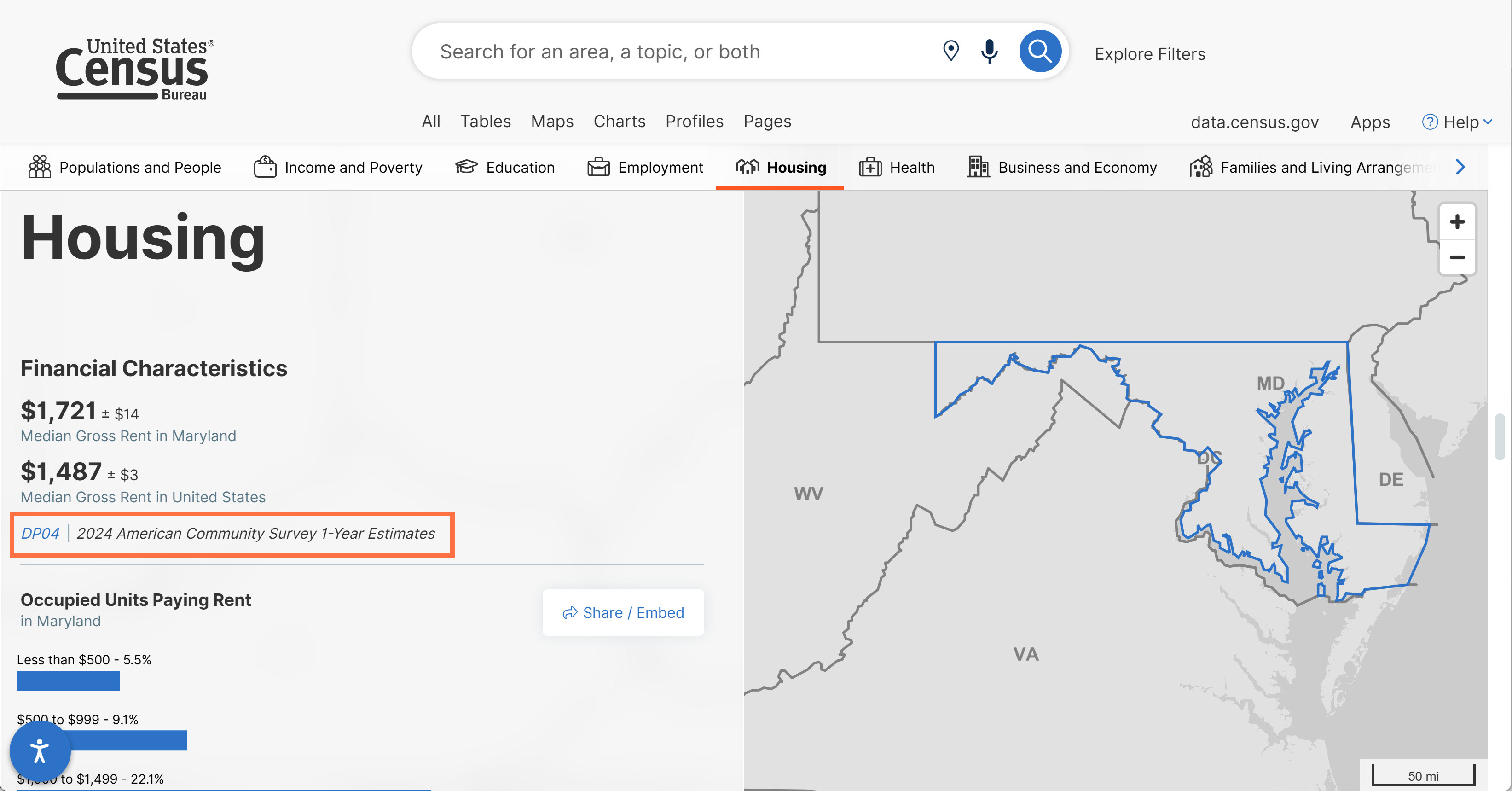
- New styling and hover effects:
Tabs have updated font and effects to more clearly indicate where your cursor is hovering.
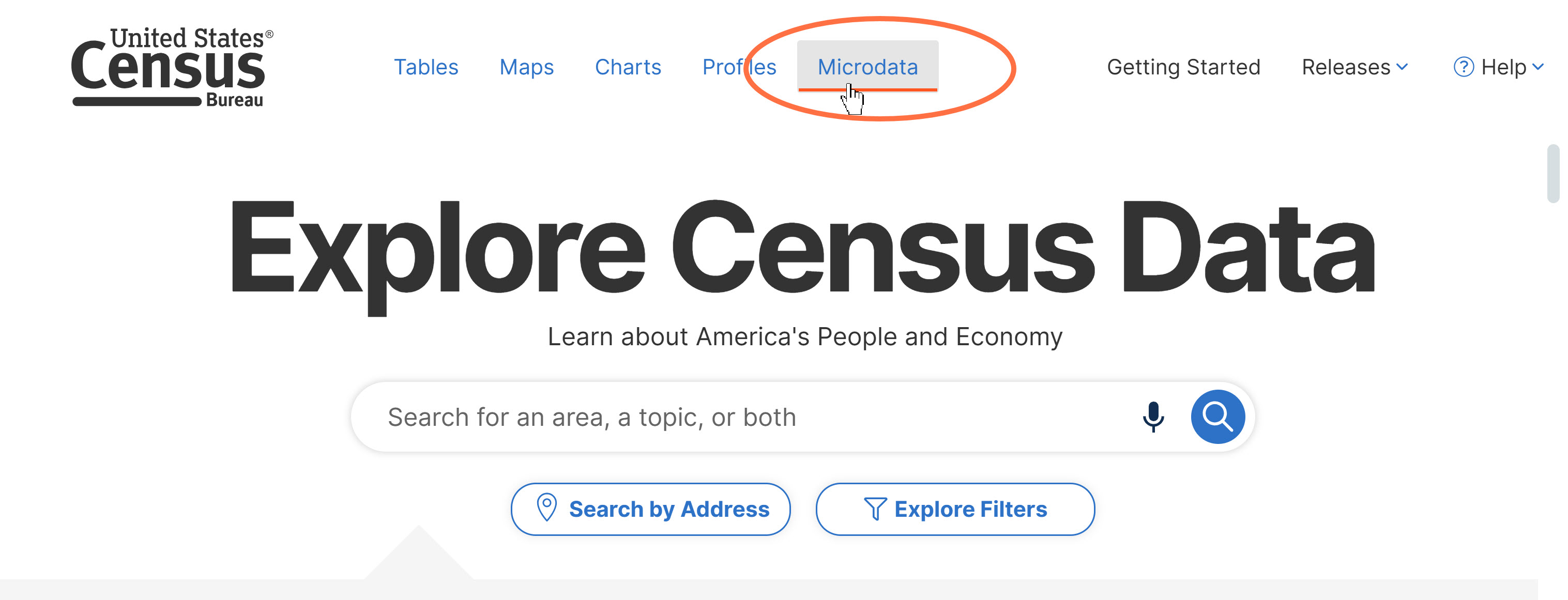
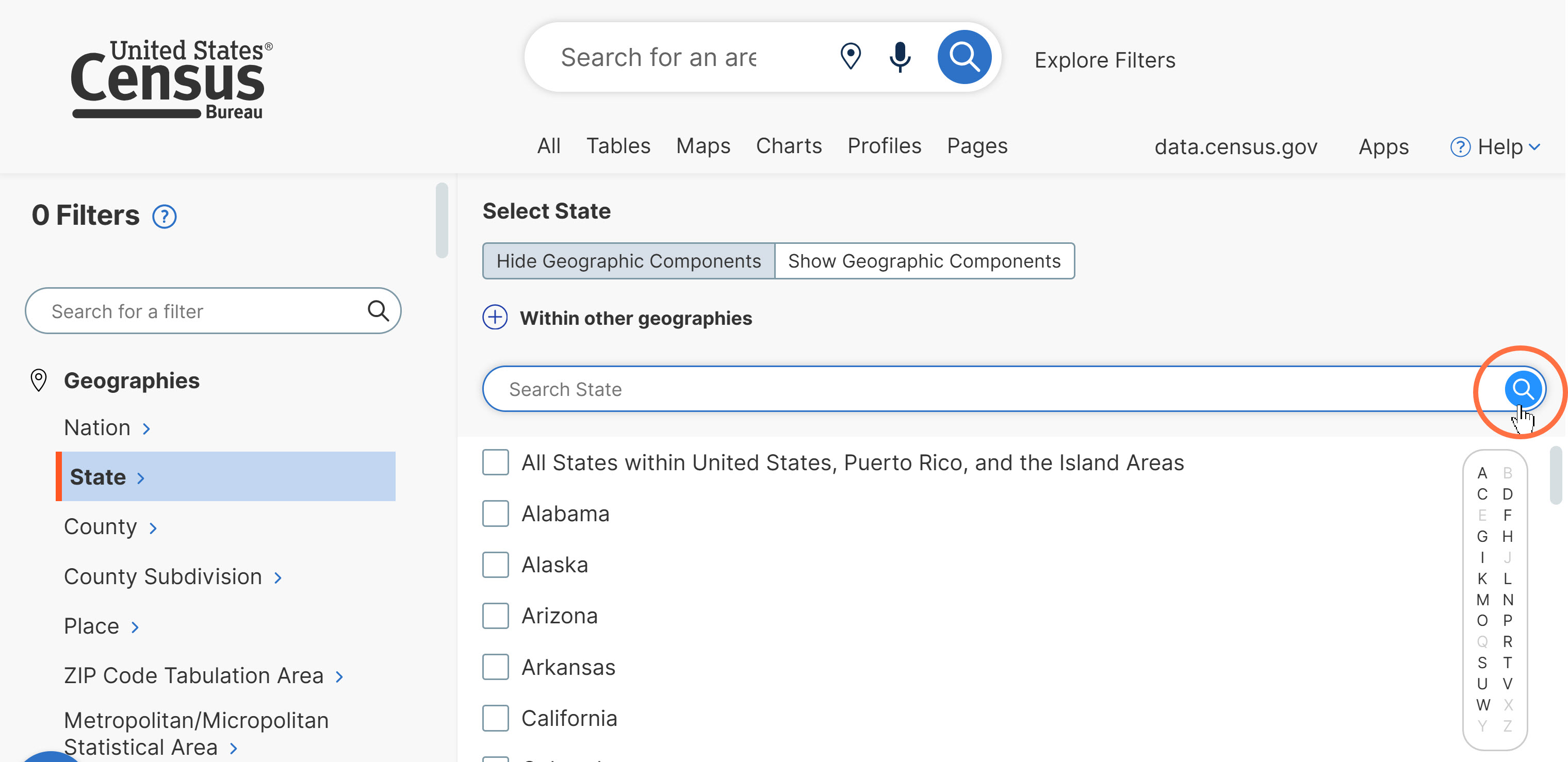
Search bars and other selected icons are also shown in blue after hovering over them.
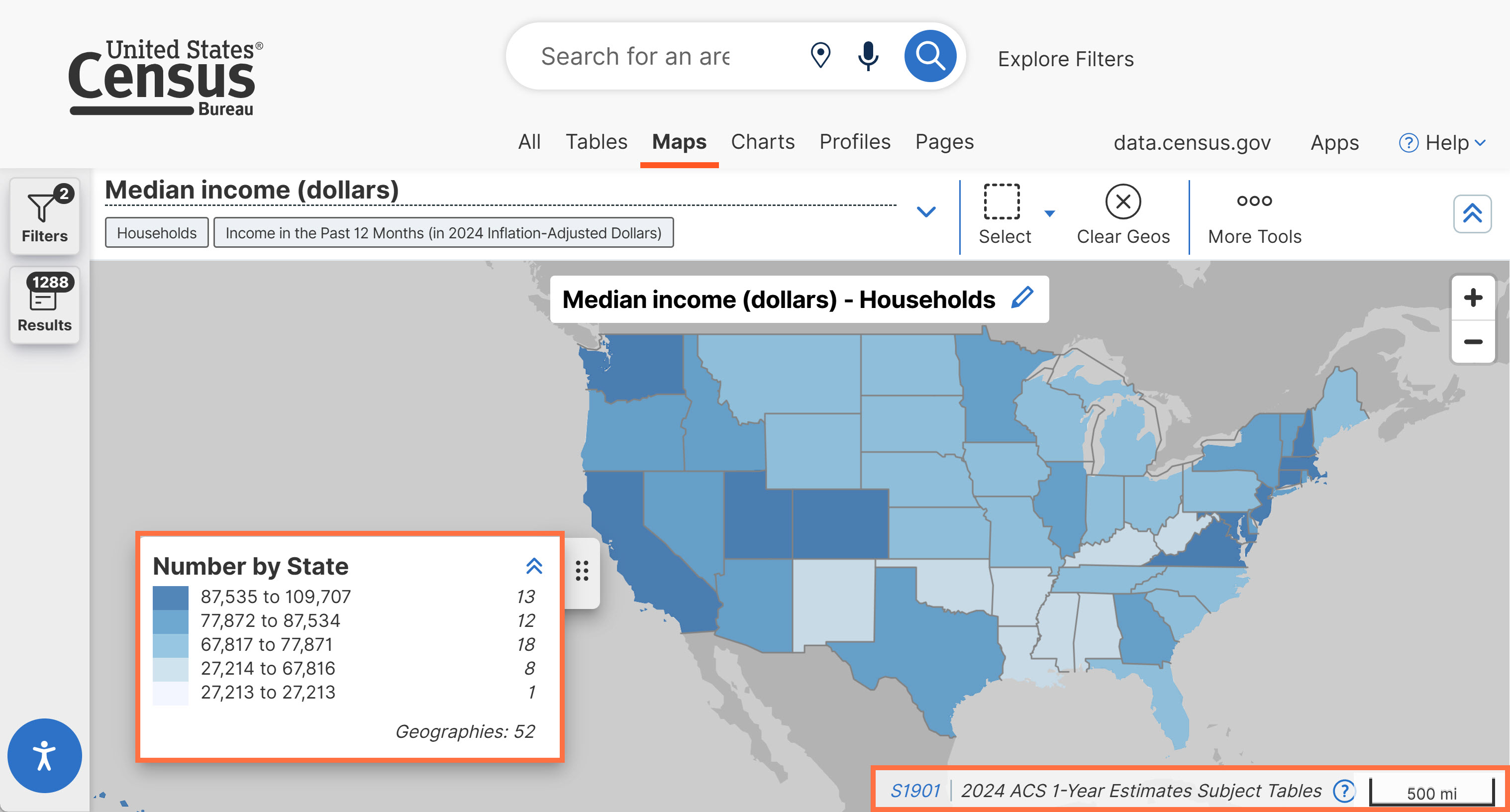
- Removal of year from the map legend. Refer to source statements for more information about the data vintage associated with your map.
- Internal technical updates to improve the delivery of new data to data.census.gov.
- Fixes to 3 defects, including fixes that allow you to:
- View historical Demographic Profiles from the 2000 Census.
- View the footer on the Microdata Access Tool (MDAT) across different screen sizes and zoom levels.
On Feb 26, we released the following updates to the site:
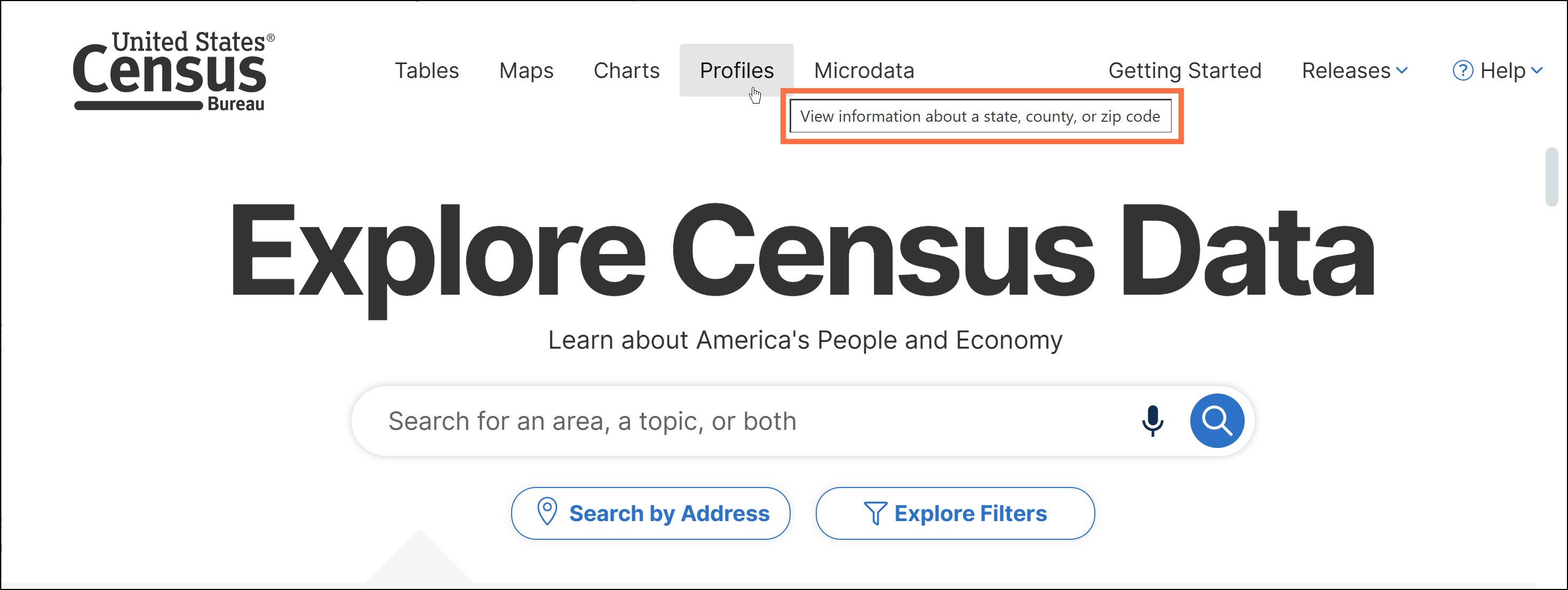
- New tooltips added throughout the landing page. When hovering over selected buttons, you will now see a label that describes the functionality of the icon.
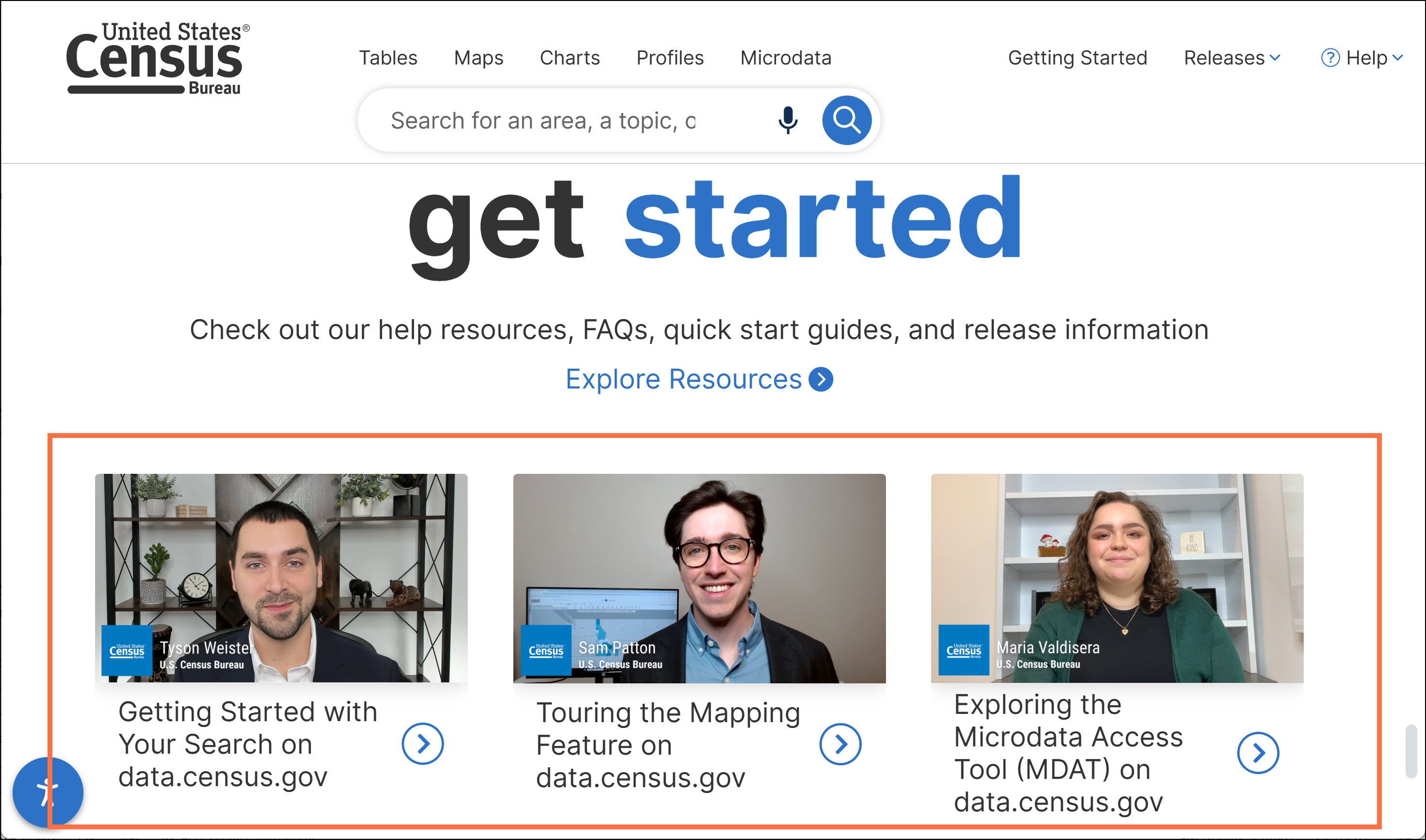
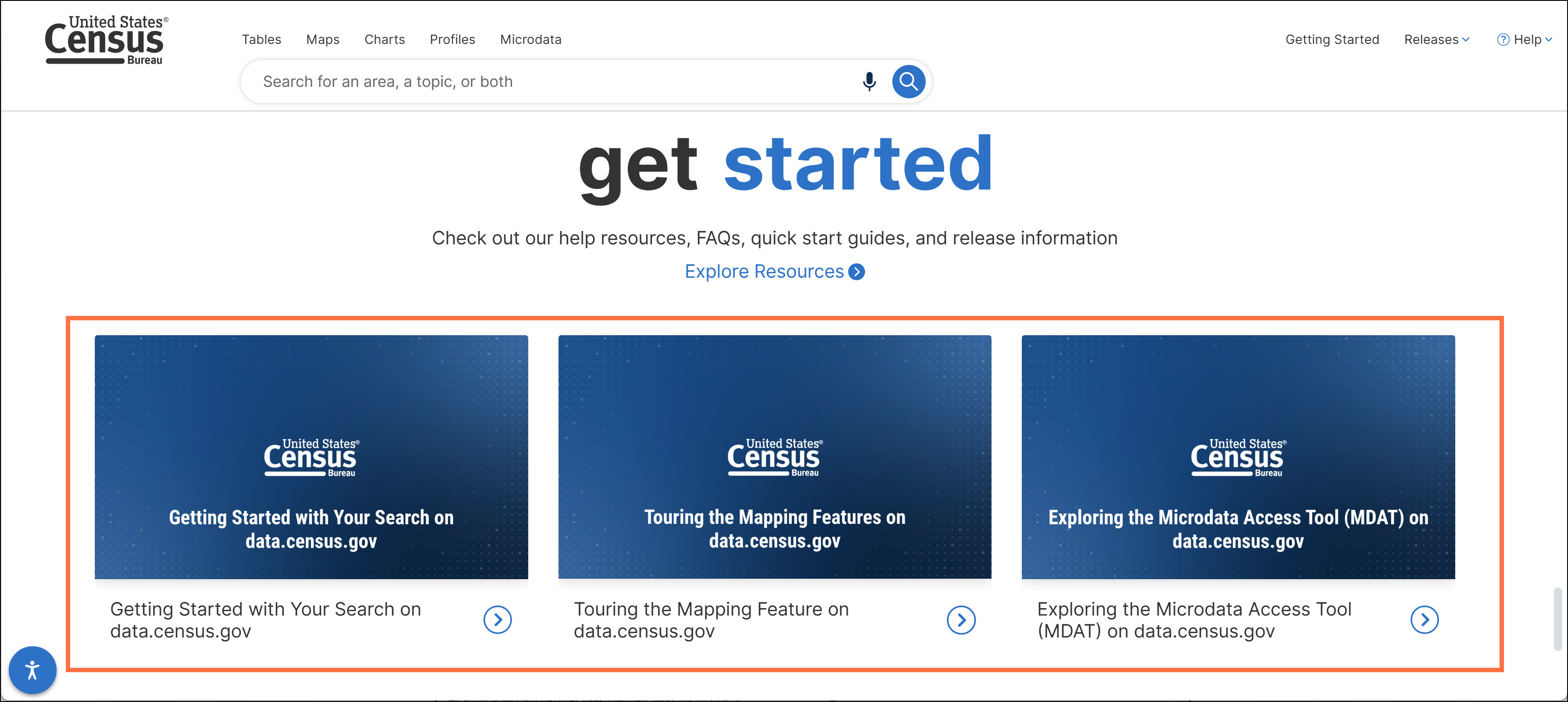
- Updated images on the landing page to correspond to the refreshed getting started videos. If you have not already done so, please check out these recent videos updated on Feb 5:
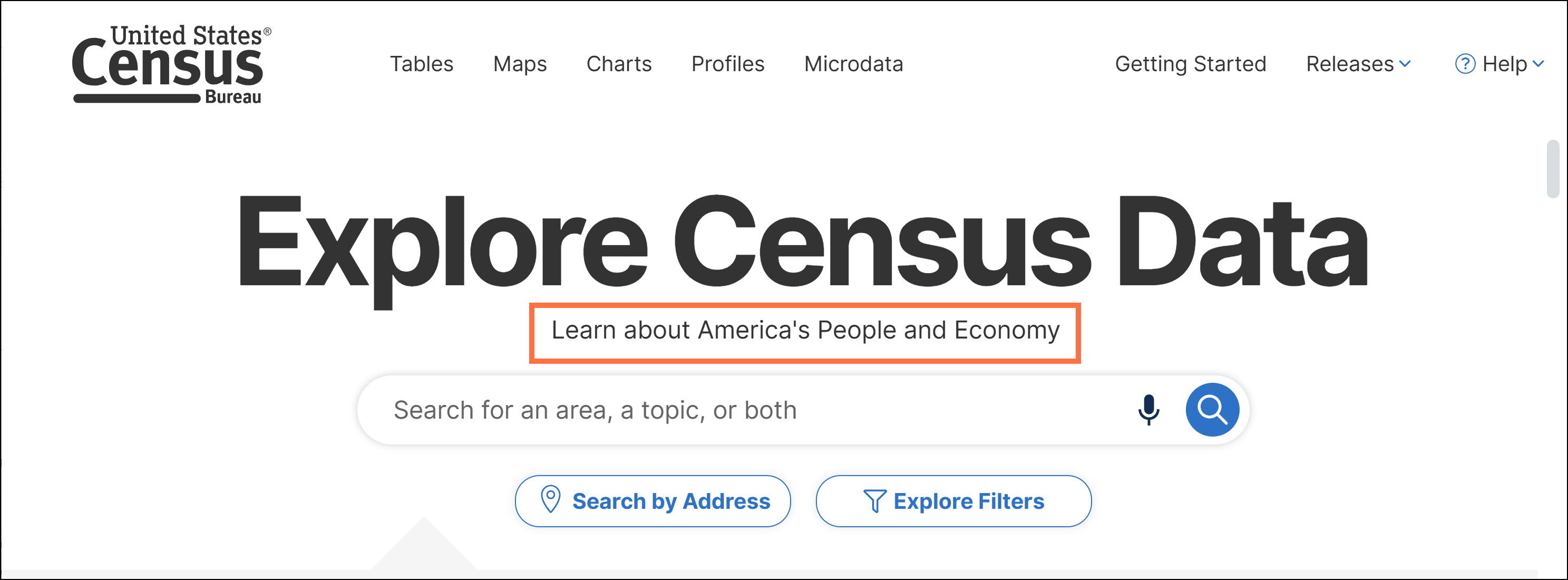
- Updated language on the landing page to describe the purpose of the site: “Learn about America’s People and Economy.”
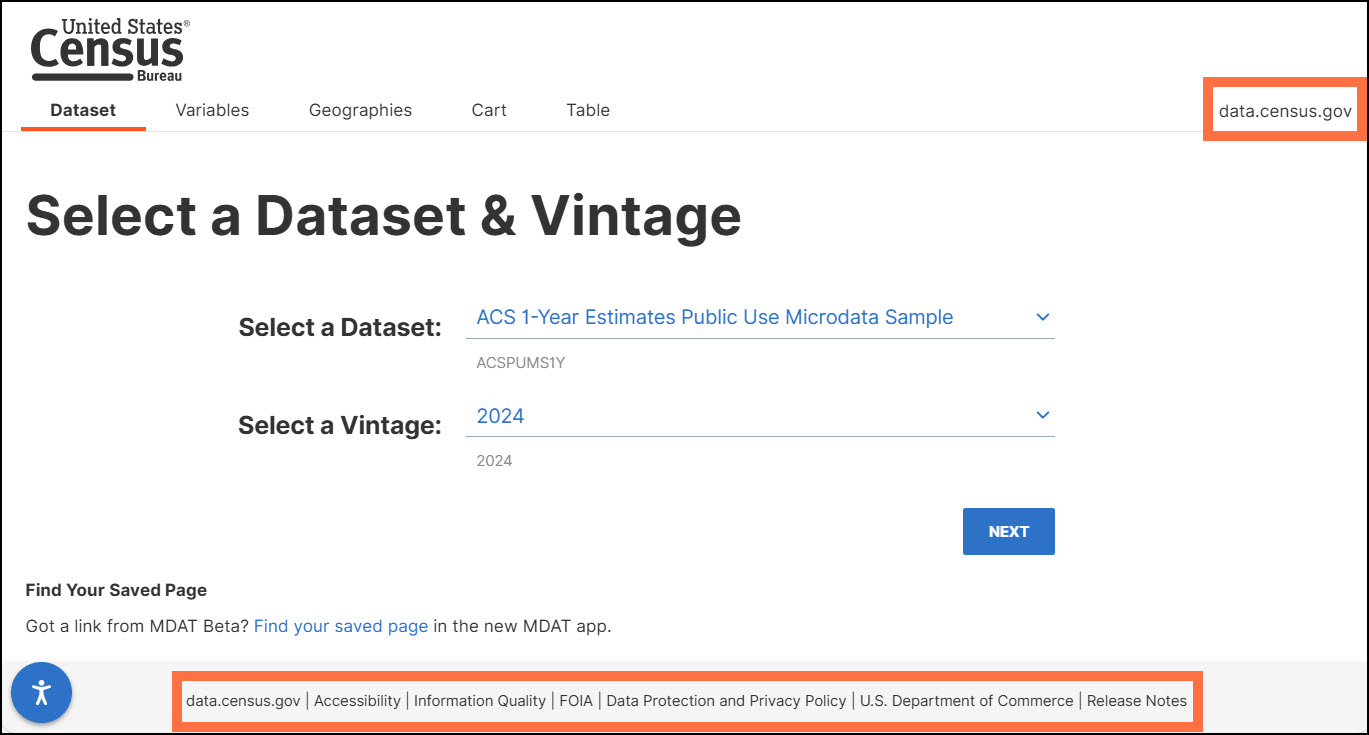
- The MDAT dataset page now features a bottom footer for additional navigation resources and a top right data.census.gov tab for quick return navigation to the main landing page.
- Fixes to 3 defects, including a fix that allows you to access the “Identify” functionality within the map feature.
- On February 5, we released the following updates to the site:
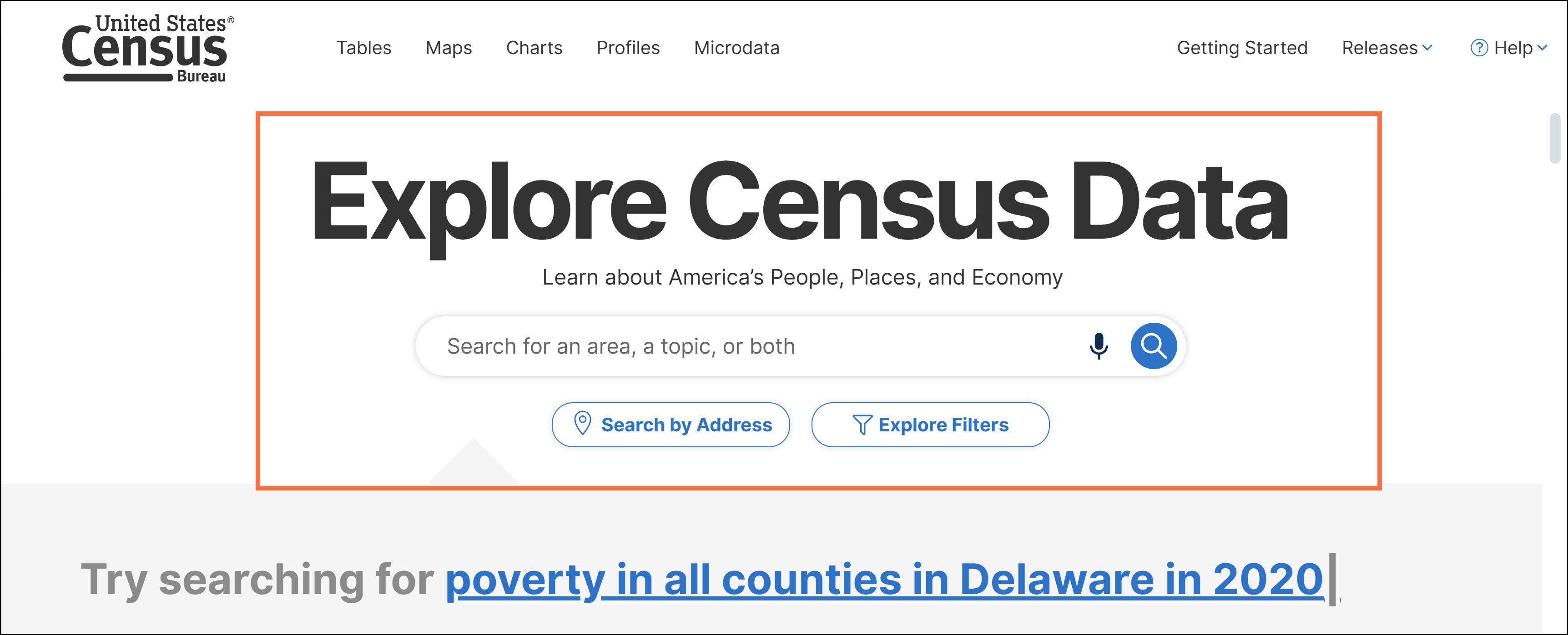
- Redesigned landing page, informed by suggestions from data users. For a walkthrough of these improvements, check out our new video tutorial. Updates include:
o New ‘Search by Address’ button, providing an intuitive way to open the address search functionality.
o Retitled ‘Explore Filters’ button. Previously called ‘Advanced Search,’ the new ‘Explore Filters’ label provides a more accurate and inviting description.
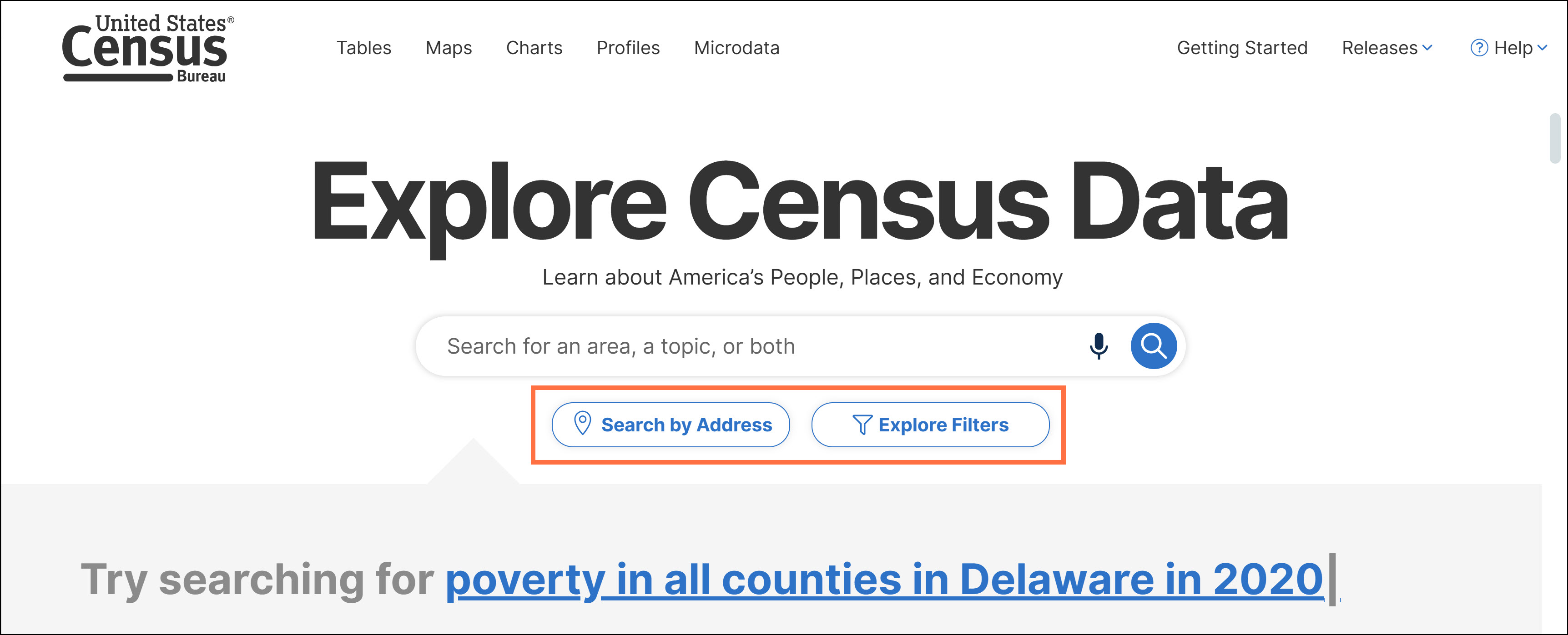
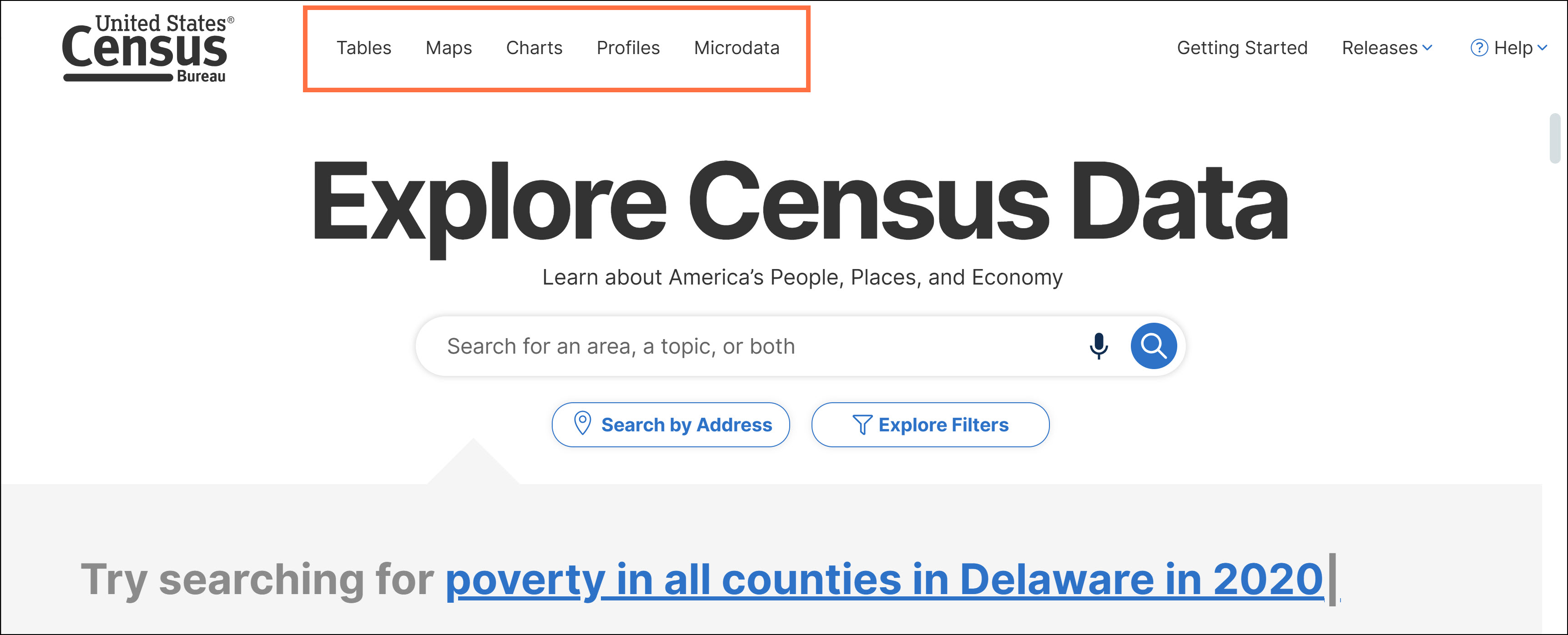
o Reorganization of navigation links. The tabs for ‘Profiles,’ ‘Tables,’ ‘Maps,’ and ‘Charts’ have moved from the top right corner of the landing page to the top left side of the page. This puts all data exploration tools in one convenient location. We also added a new ‘Microdata’ button that takes you directly to the Microdata Access Tool (MDAT).
o New links to resources designed to help with your data search:
▪️Getting Started: Link to our most popular resource for learning how to begin a search on data.census.gov.
▪️Releases: Links to latest data releases, upcoming data releases, and site updates.
▪️Help: Links to the data.census.gov Resources page, video tutorials, frequently asked questions (FAQs), and email address for [email protected].
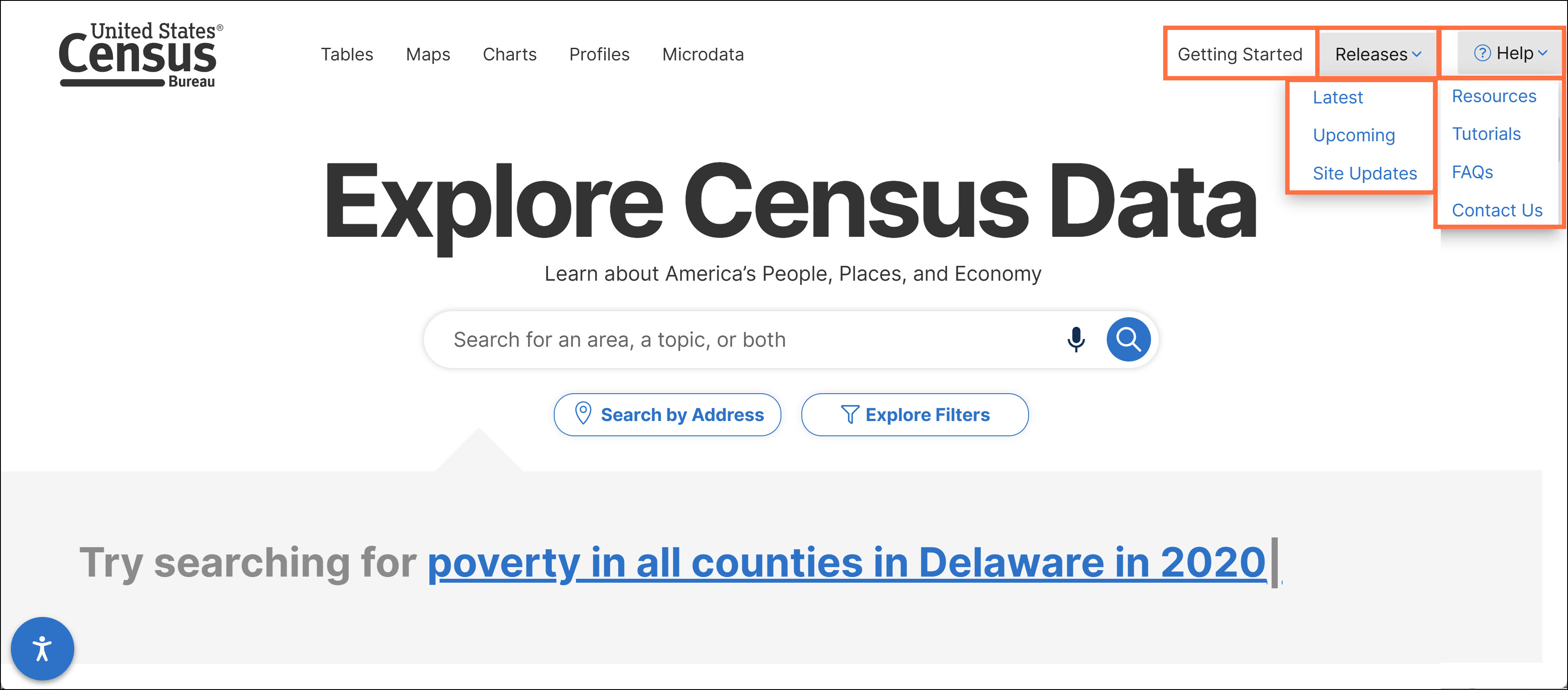
This exciting update puts educational resources at your fingertips while you are using the site!
o New navigation to census.gov and the data.census.gov landing page:
▪️Click the Census Bureau logo in the upper left to navigate to the main census.gov webpage. This update provides consistency and alignment with the user experience on census.gov.
▪️Click the new data.census.gov button to clear your search and return to the data.census.gov landing page.
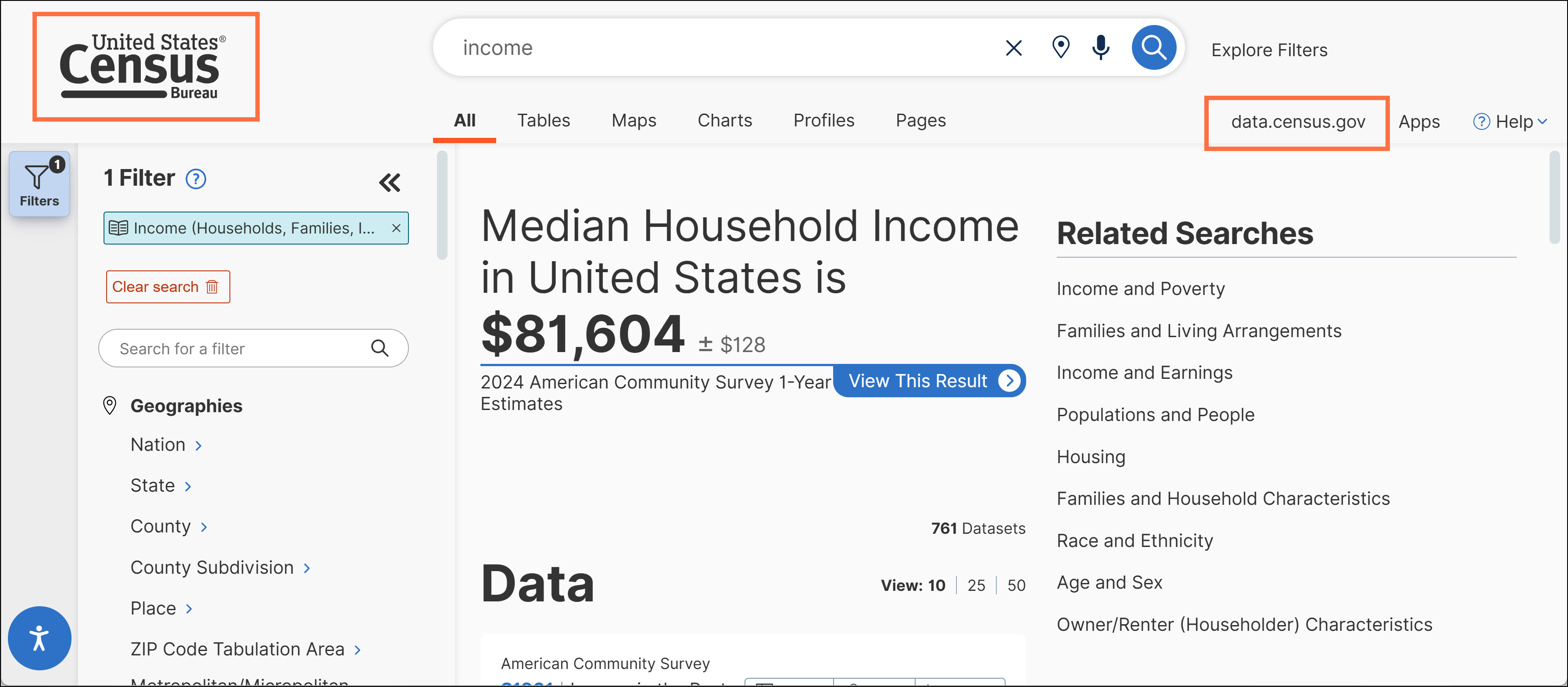
o Key links and headers persist beyond the landing page as you navigate through the site.
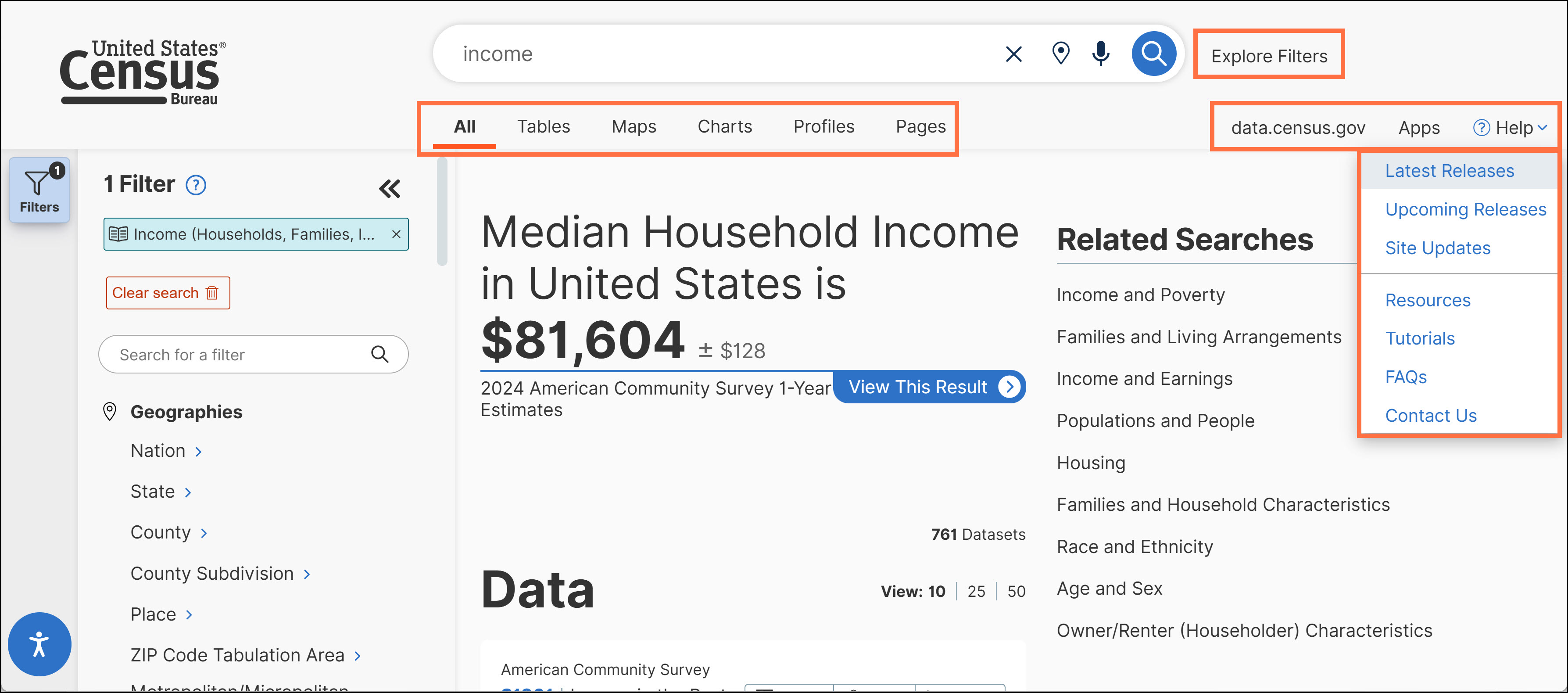
o Improved placement and font for primary search items.
o New images and links for video tutorials towards the bottom of the landing page. These videos have been updated to show the refreshed landing page.
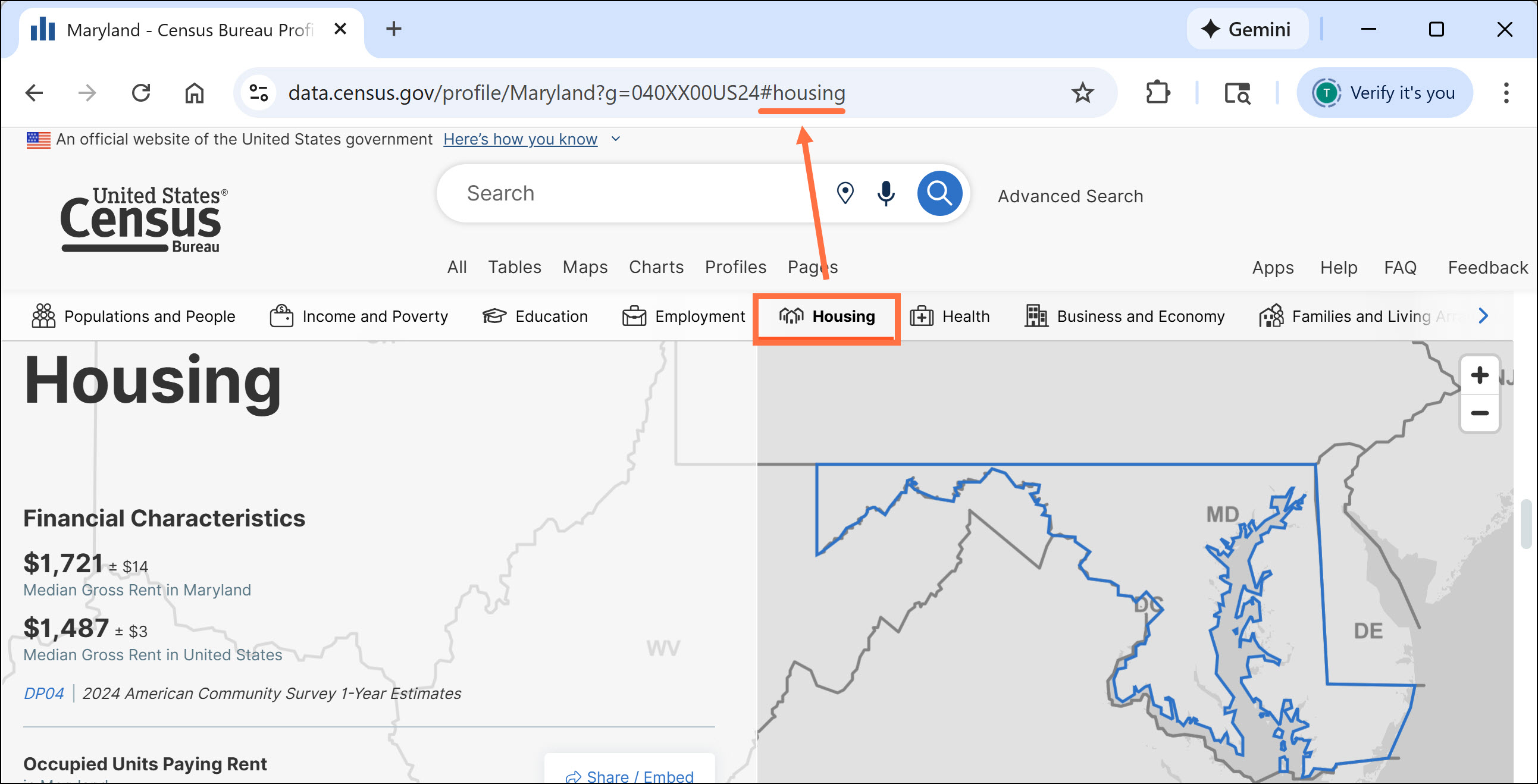
- URLs for Profiles now capture the section the user is viewing, allowing you to share URLs to specific sections of the Profiles.
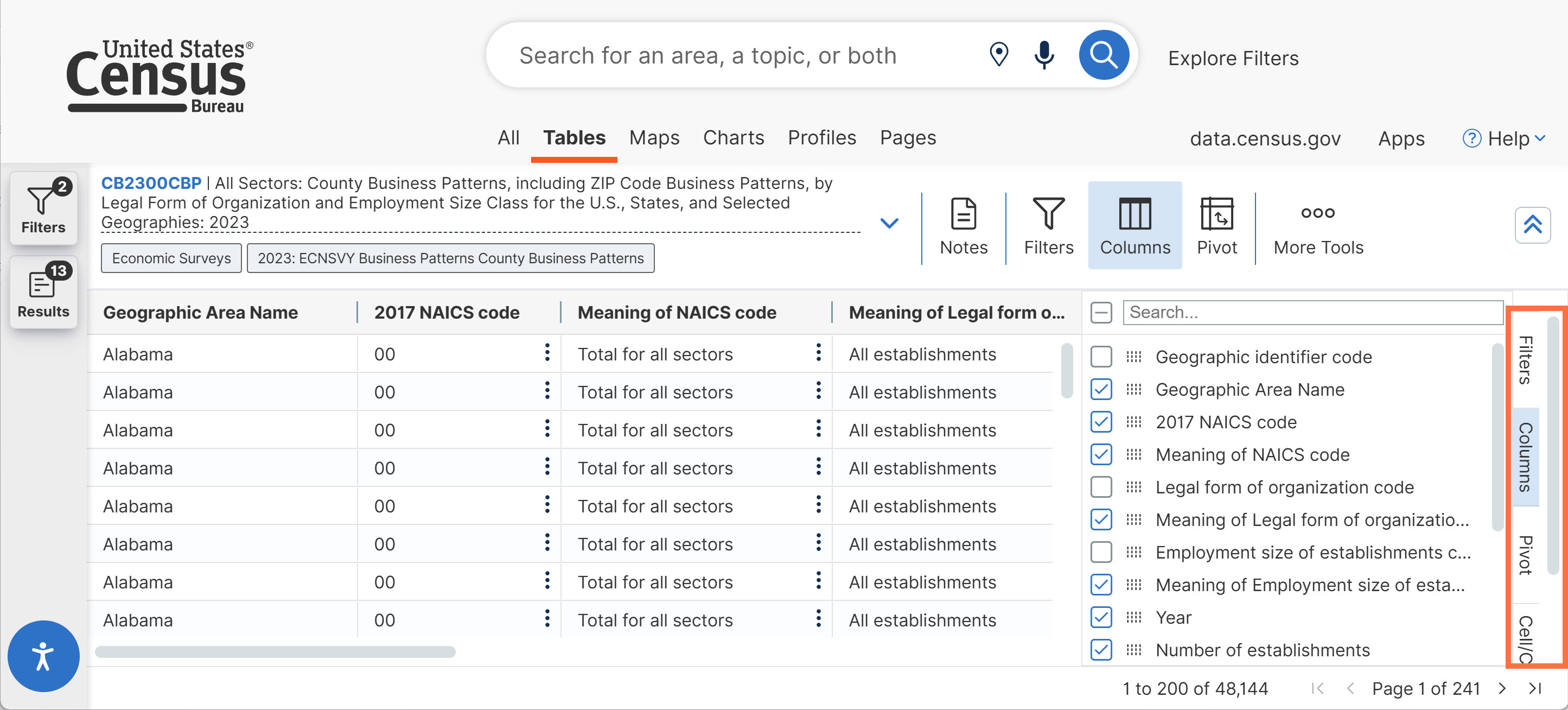
- New scroll bar that allows you to navigate through tabs on the right side bar. We also added highlighting to show which tab you are clicked into.
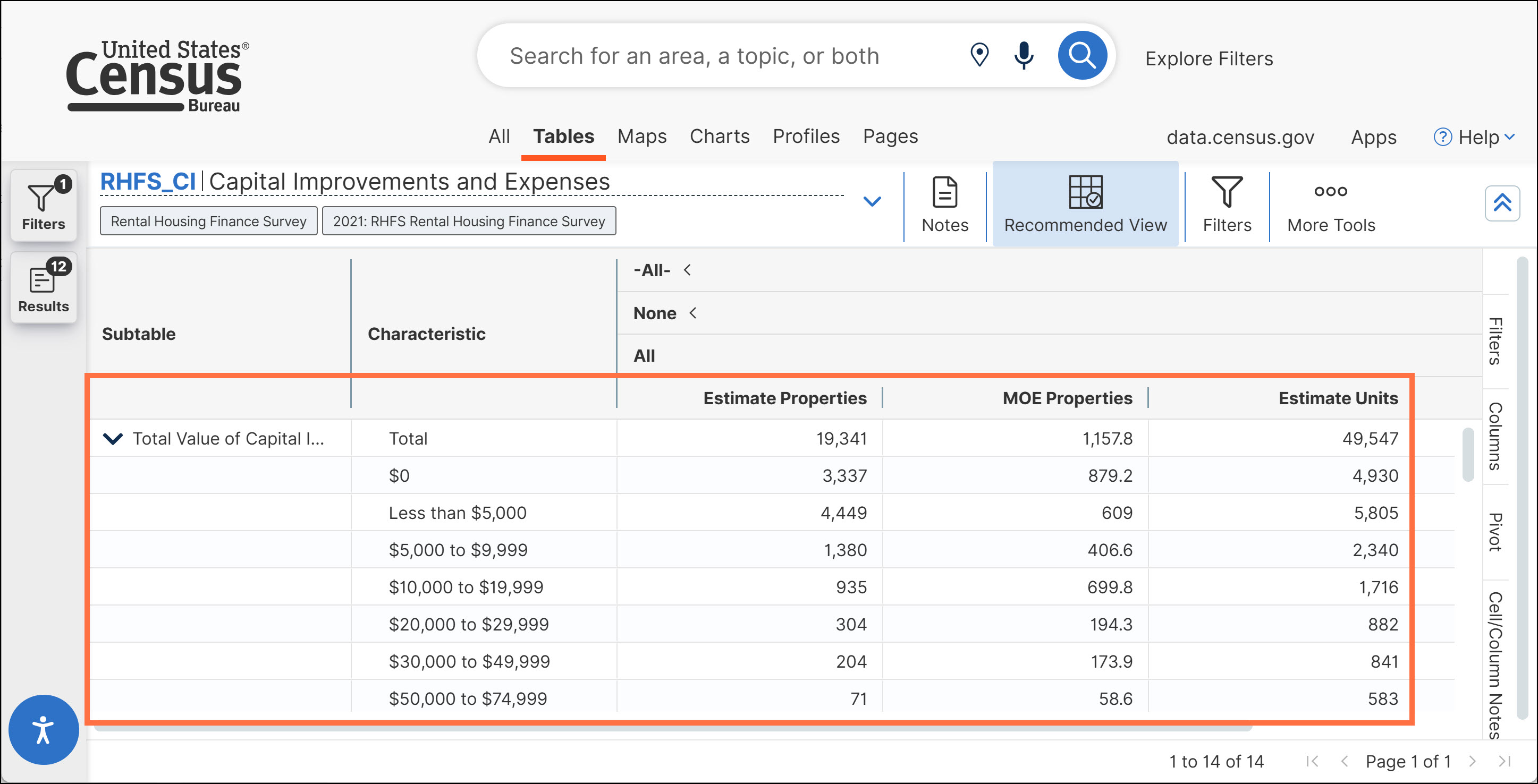
- Updates to ensure columns within Rental Housing Finance Survey (RHFS) tables are properly aligned.
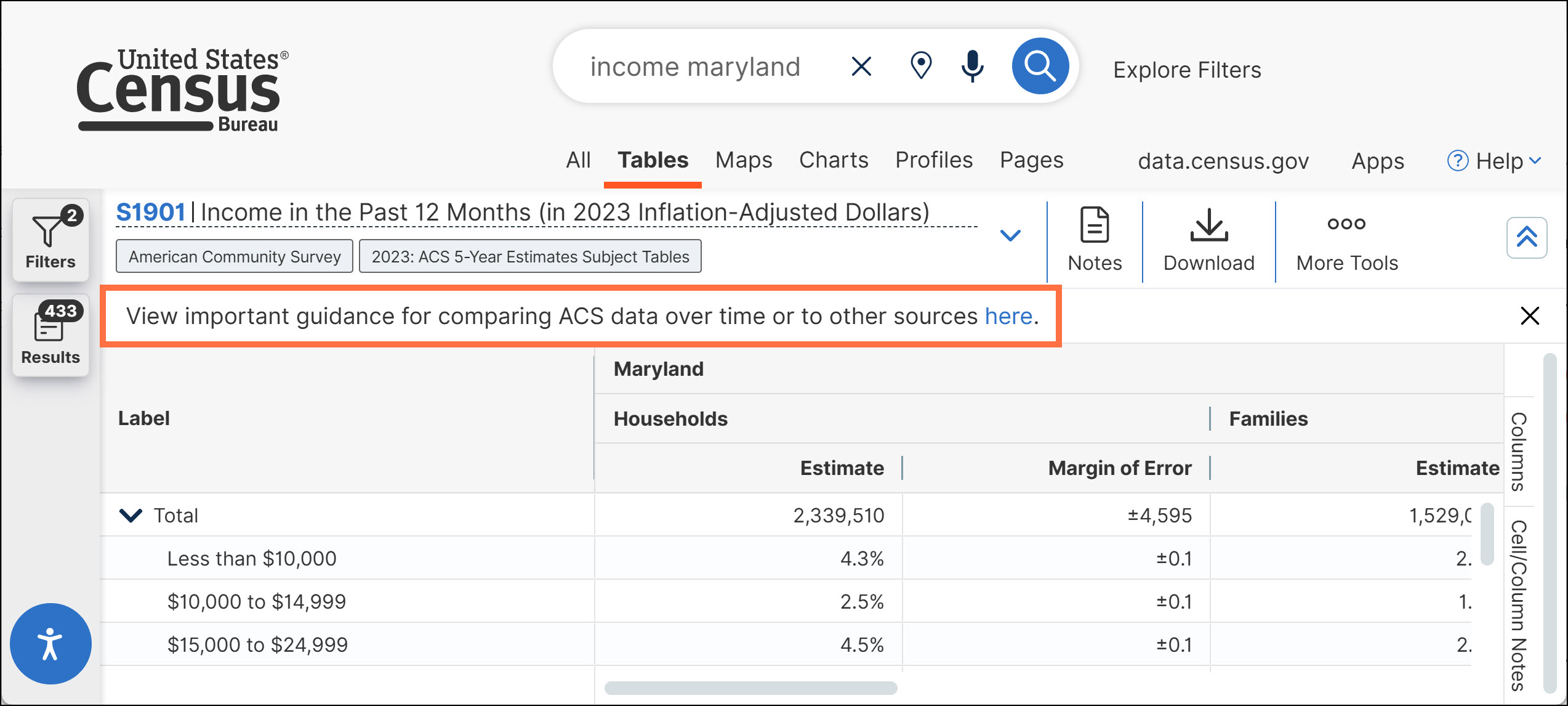
- Table note with comparison guidance applied to tables from the American Community Survey (ACS) 5-year estimates.
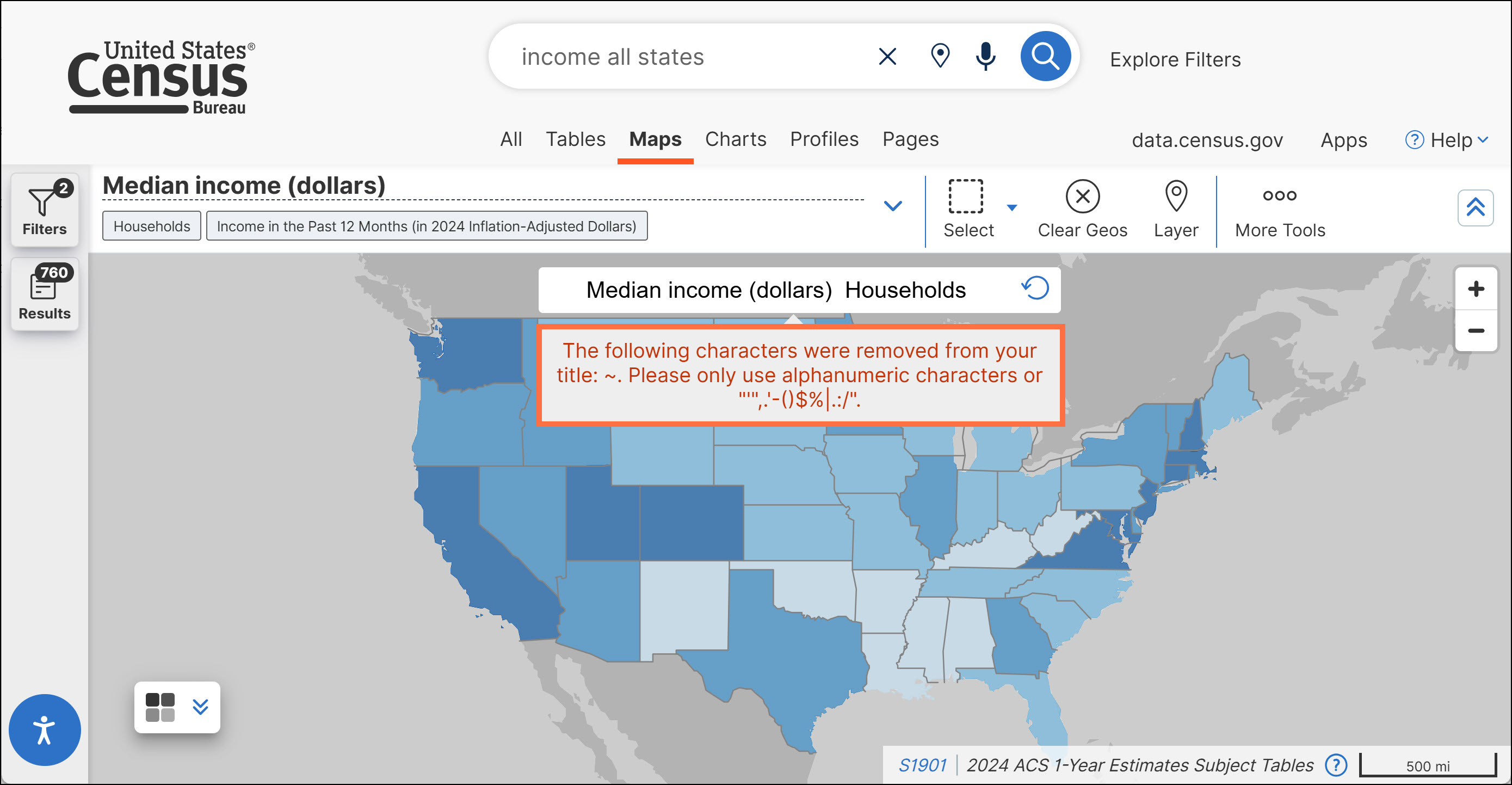
- Text color of error messages updated for consistency.
- Enhancements to the Microdata Access Tool (MDAT), including:
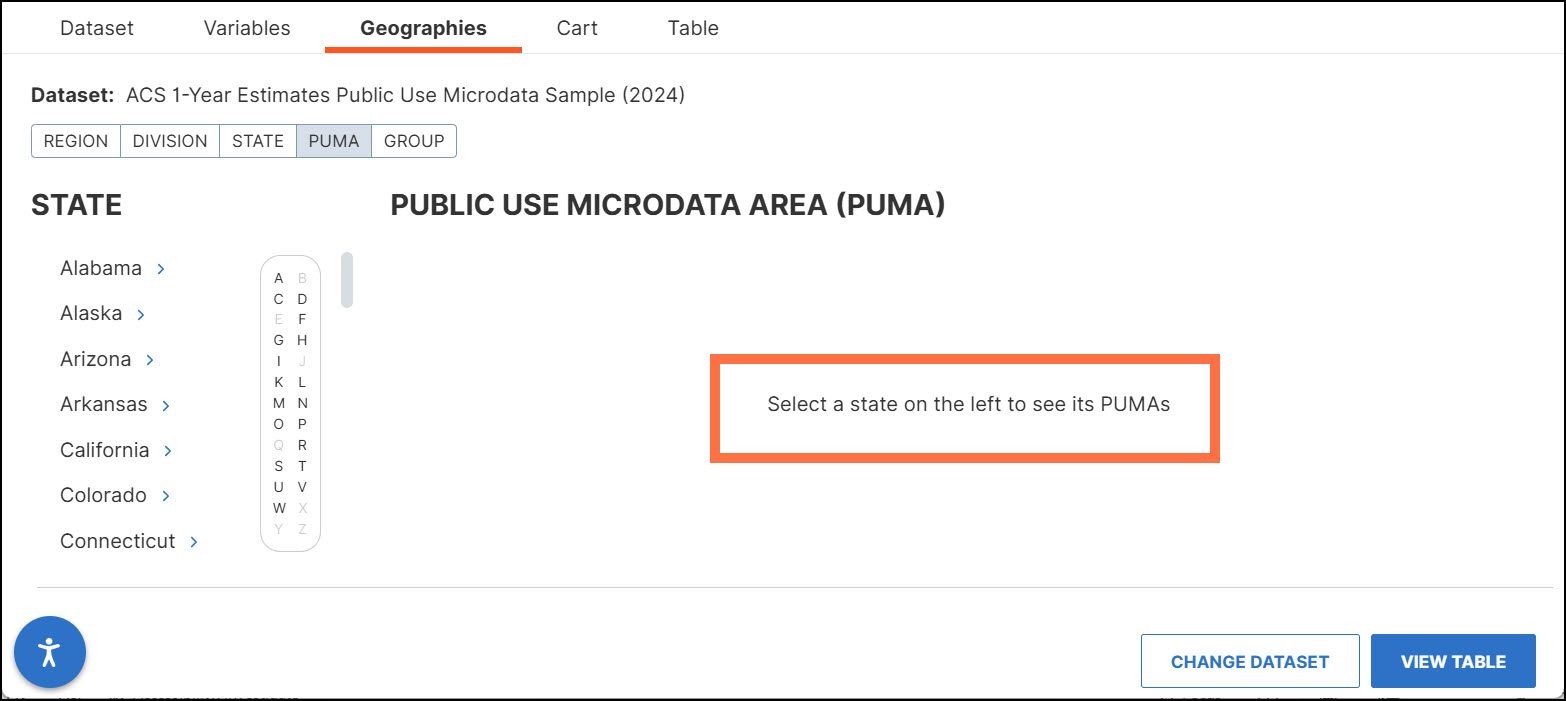
o New guidance prompting your next action after selecting the Public Use Microdata Area (PUMA) tab.
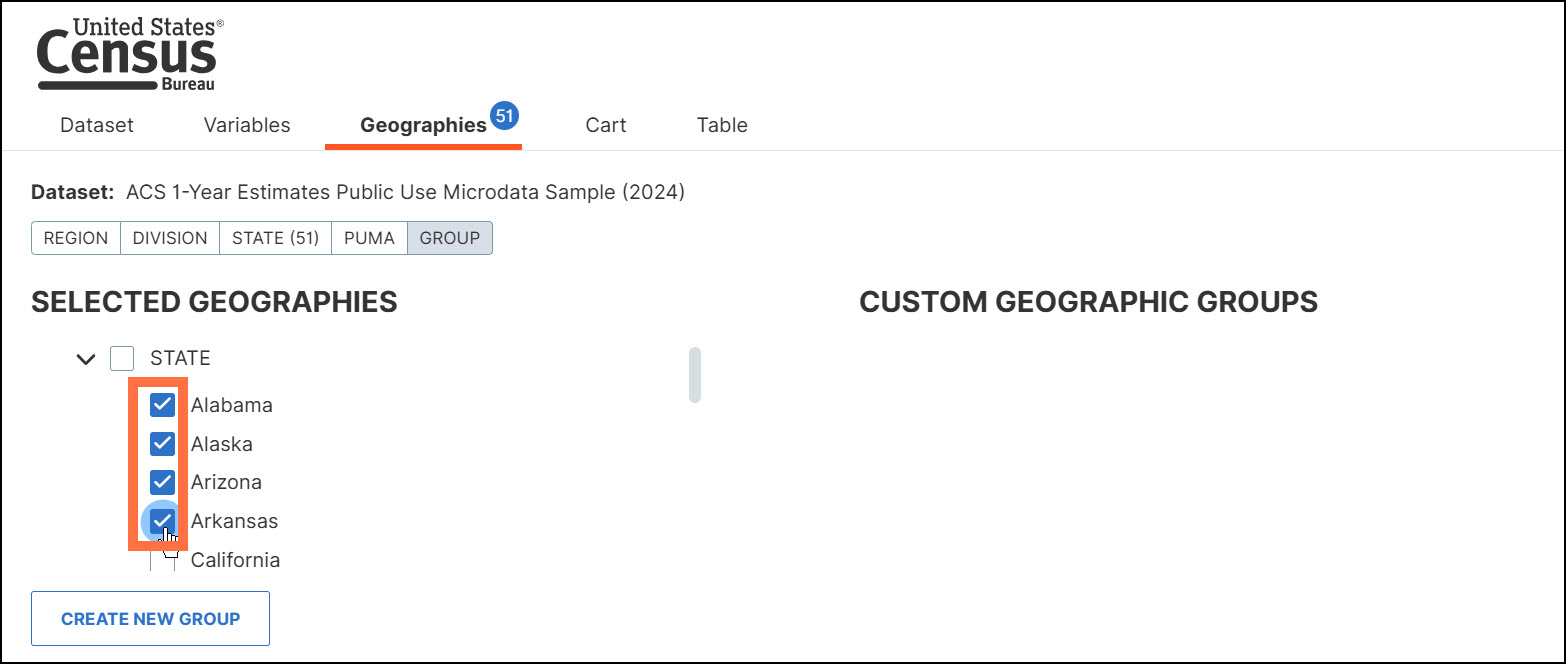
o Updates that allow you to hold the Shift key to select multiple check boxes in bulk. This functionality was expanded to apply to selections in the geography ‘Group’ tab.
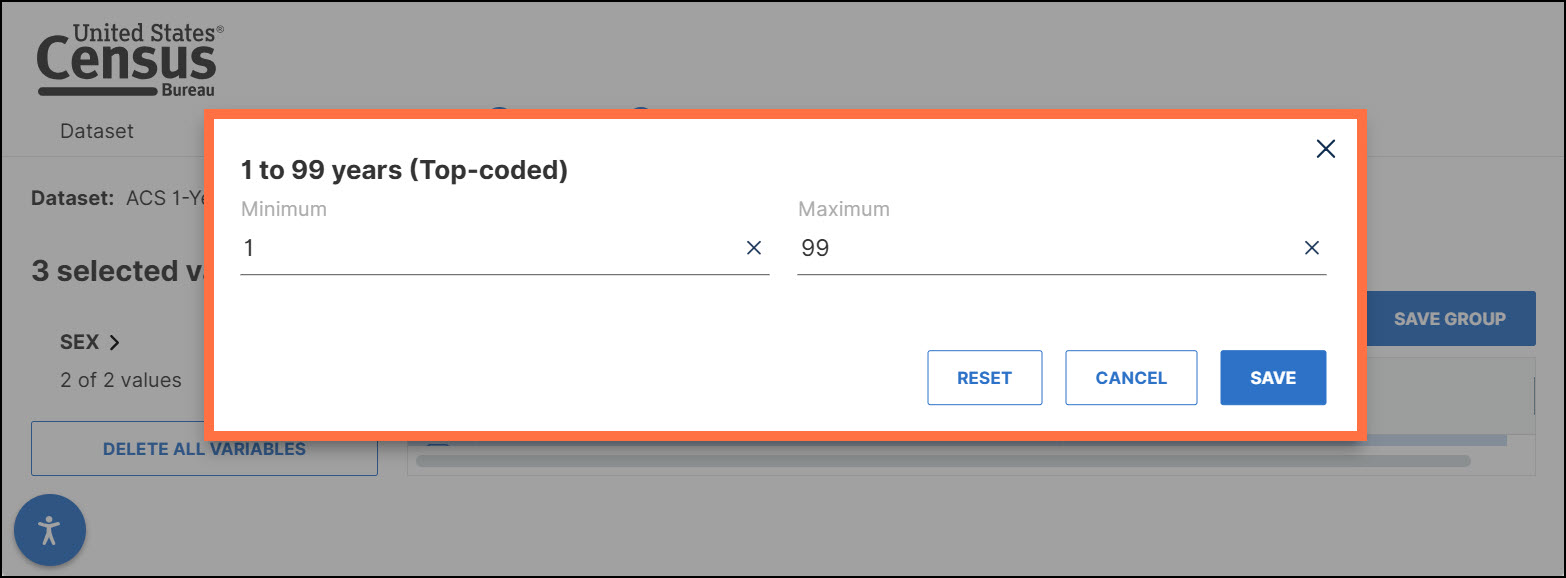
o Dialog boxes updated to ensure they all have titles, right aligned buttons, and consistent spacing.
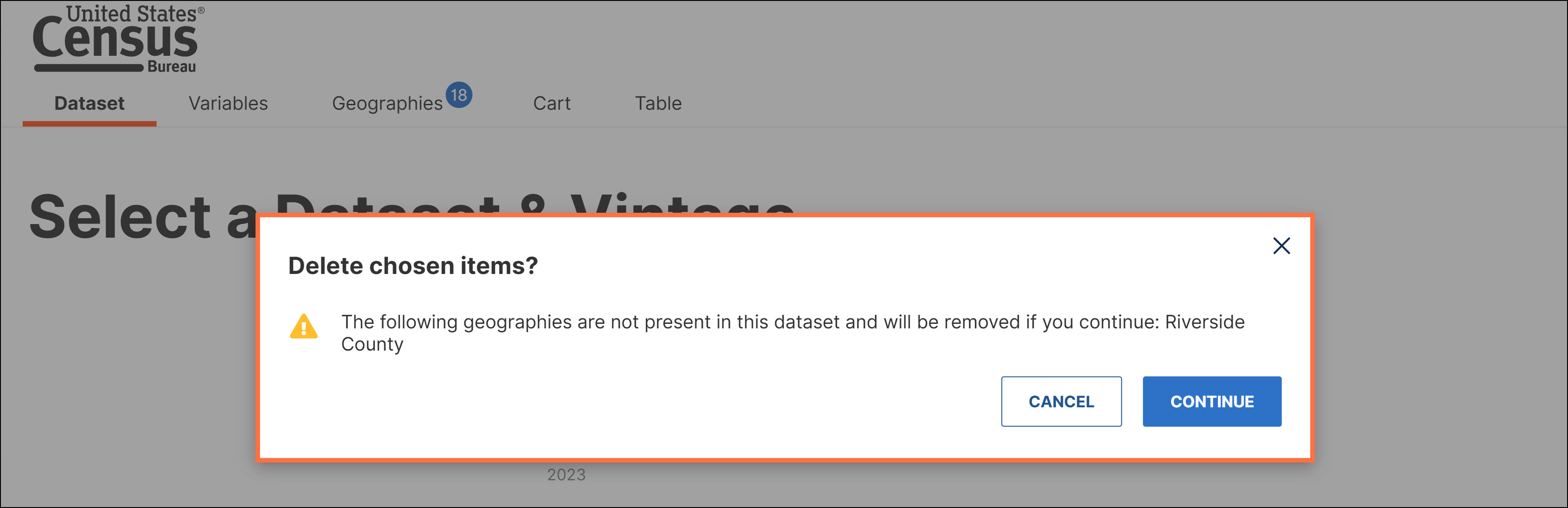
o Clearer messaging when switching between datasets or years. The message indicates that your previously selected geographies will be removed.
- Technical work to allow more efficient development and cleaner code.
- Technical updates to improve analytics for data.census.gov. These updates allow internal staff to determine how users interact with the site to better inform decision-making and future updates.
- Technical work to keep our maps updated.
- Fixes to 15 defects, including fixes that allow you to:
- Interact with the buttons in the map toolbar.
- Use the Tab key within pop-up windows.
- Use the A to Z scrollbar in more instances.