FAQ Search Results
The FAQ Search Results component allows users to search Help Center FAQs, view matching FAQ results, and filter results by FAQ topic. The component includes a search bar, an optional filter list, and a list of FAQ search results.
On This Page:
Purpose
The FAQ Search Result + Filter List component is used to display searchable and filterable FAQ results on Help Center pages. Users can enter a search term, select filters, and view FAQ results that match their search or selected topic.
The component can be used on the FAQ Search Results page and on FAQ Topic Pages. On FAQ Topic Pages, authors can use a Pre-filter Topic Tag to display results for a specific Help Center topic.
Search Bar
The search bar allows users to search Help Center FAQs. Users can enter a search term and either press Enter or select the Search button.
If a search term is present in the URL, the search term displays in the search bar on page load.
The component displays a results label below the search bar.
- Examples: Showing 61 results for "population", Showing 61 results
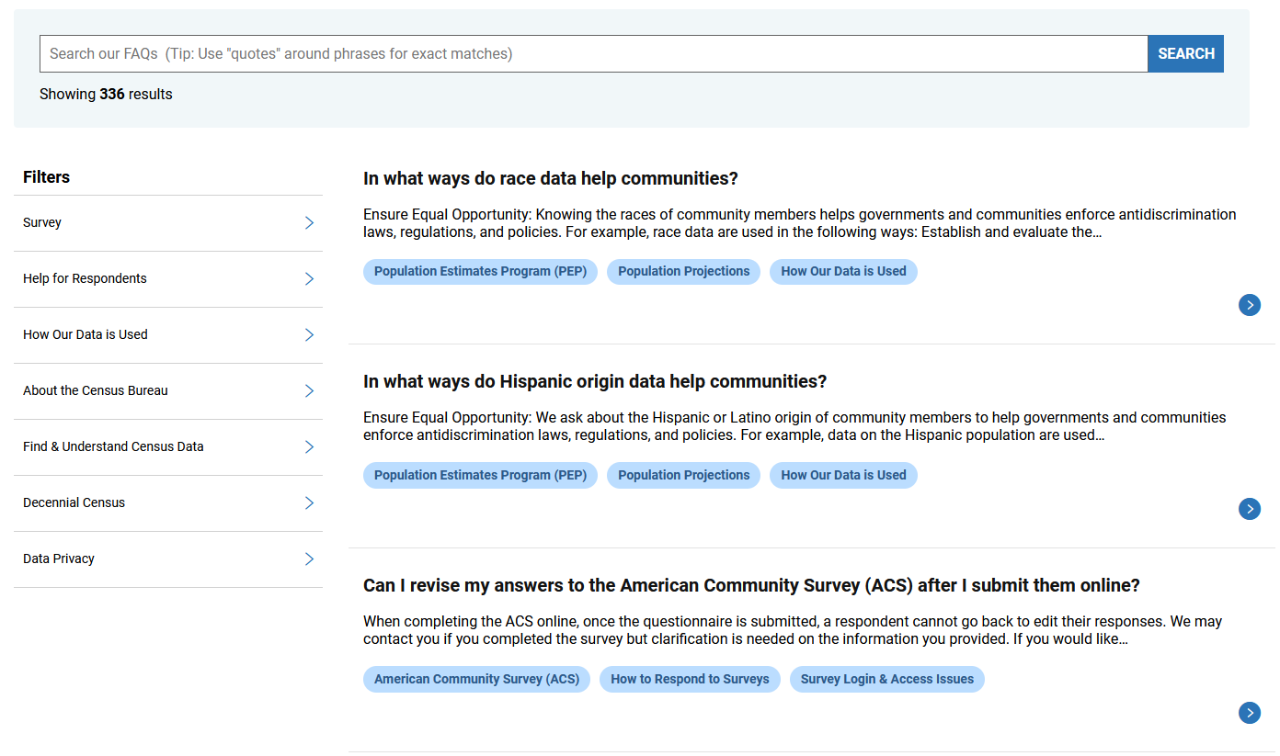
Filter List
- The filter list allows users to narrow FAQ results by topic.
- Filters are automatically populated based on the FAQ tag structure in the backend. Authors cannot manually update filter categories or filter labels in the component dialog.
- Users can select filters to narrow the results list. When filters are selected, the results list updates to display matching FAQs.
- If Show Filters is unchecked in the dialog, the filter list does not display.
Search Results List
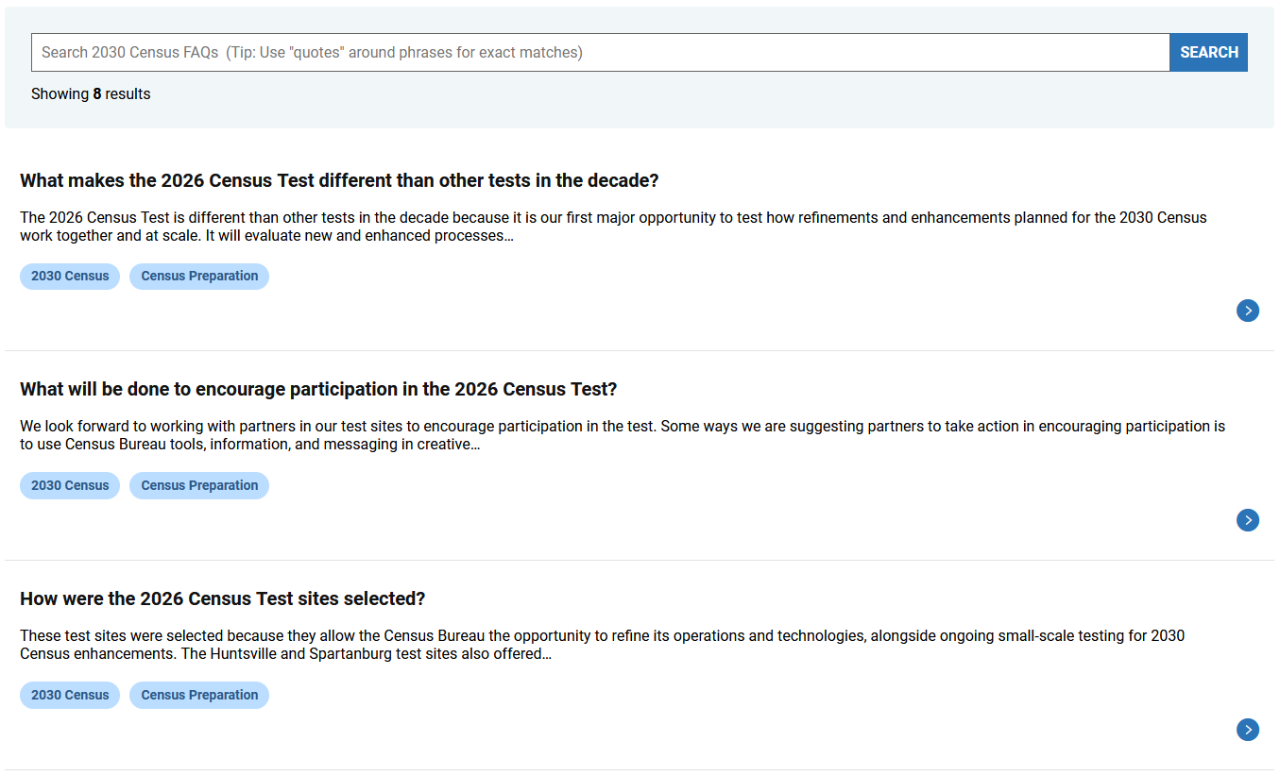
The search results list displays FAQ results that match the search term, selected filters, or pre-filtered topic tag.
Each FAQ result includes:
- FAQ question
- FAQ answer description
- FAQ topic tags
- Link to the FAQ Detail Page
FAQ topic tags display under the result and link to the corresponding FAQ Topic Page.
When a user selects a FAQ result, they are taken to the corresponding FAQ Detail Page.
Configure Dialog
The configure dialog allows the content author to define the search endpoint, FAQ detail page path, placeholder text, results per page, optional pre-filter topic tag, and whether filters display on the page. This component is only allowed on the Census Gateway Template.
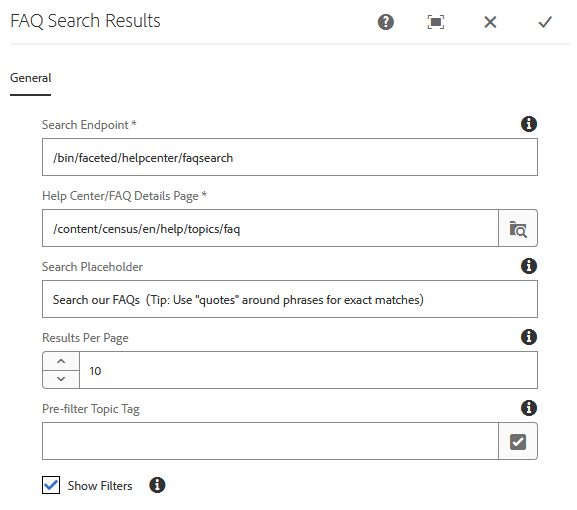
Search Endpoint: Defines where the URL path to the search servlet. This field is required.
- Default value: /bin/search
Help Center/FAQ Details Page: Defines the FAQ Detail Page path used when linking search results to individual FAQ detail pages. This field is required.
- Authors should use the AEM content path.
- Example: /content/census/en/help/topics/faq
Search Placeholder: Adds placeholder text inside the search input field. The placeholder text displays until the user clicks into the search field or until a search term is present.
- Example: Search our FAQs (Tip: Use "quotes" around phrases for exact matches)
Results Per Page: Defines how many FAQ results display per page.
- Default value: 10
Pre-filter Topic Tag: Allows the author to select the FAQ Topic Tag for the Help Center Topic Page they are creating. This field is optional.
- Use the FAQ tag namespace when selecting a topic tag.
Show Filters: Displays the filter list on the page. This field is optional.
- If Show Filters is unchecked, the search bar and results list still display without the filter list.
- Default is unchecked.
- Filters should be disabled on FAQ Topic Pages.
Examples
FAQ Search Result + Filter List
FAQ Search Result + No Filter List