American Community Survey Data via API
The Census Bureau's Application Programming Interface (API) is a tool that you can use to access American Community Survey (ACS) data more efficiently. It reduces the need for data storage and provides users with a set of standard commands to easily access statistics that can be incorporated into their programs and applications. You can also use it to create simple queries to access ACS data through an internet browser. Learn more about how to access ACS datasets via the API, as well as resources to learn more about using the API.
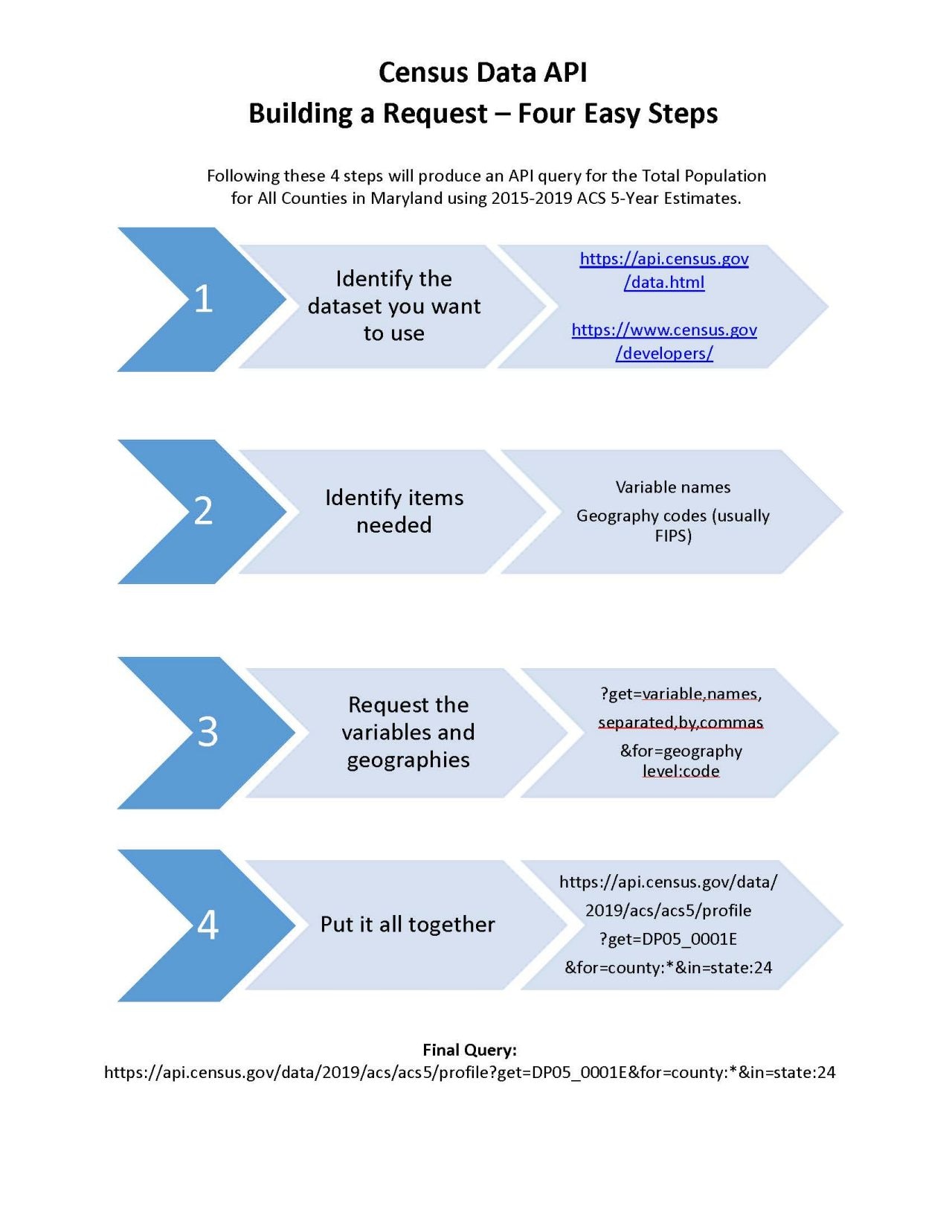
Building a Request - Four Easy Steps
Following these 4 steps will produce an API query for the Total Population for All Counties in Maryland using 2015-2019 ACS 5-Year estimates.
Step 1: Identify the dataset you want to use.
Review API datasets and the API homepage to see what is available.
Step 2: Identify items needed, such as variable names and geography codes (usually FIPS).
Step 3: Request the variables and geographies.
?get=variable,names , separated,by,commas
&for=geography level:code
Step 4: Put it all together.
Final Query: https://api.census.gov/data/2019/acs/acs5/profile?get=DP05_0001E&for=county:*&in=state:24
 Download Building an API Query for ACS [PDF - <1.0 MB]
Find ACS Data Available in the API
-
American Community Survey 1-Year Data (2005-2025)Areas with populations of 65,000+. Covers a broad range of topics about social, economic, demographic, and housing characteristics of the U.S. population. -
American Community Survey 1-Year Supplemental Data (2014 - 2025)High-level detailed tables tabulated on the 1-year microdata for geographies with populations of 20,000 or more. -
American Community Survey 3-Year Data (2007-2013)Areas with populations of 20,000+. Covers a broad range of topics about social, economic, demographic, and housing characteristics of the U.S. population. -
American Community Survey 5-Year Data (2009-2024)Data available down to the block-group level. Covers a range of topics about social, economic, demographic, and housing characteristics of the U.S. population. -
American Community Survey Migration FlowsMigration flows between counties, minor civil divisions, and metropolitan areas using ACS 5-year data. Flows are crossed by selected characteristics. -
Language Statistics: ACS (2013)Counts of speakers for 380 languages/language groups with count in each group speaking English less than “very well.” Geos: counties, CBSAs, states, nation. -
ACS 1-Year PUMSOne year of person and housing records at the nation, state, and Public Use Microdata Area (PUMA) levels. -
ACS 5-Year PUMSFive years of person and housing records at the nation, state, and Public Use Microdata Area (PUMA) levels.
Take the Intro to the API Course
Video Tutorials on Using the API with the ACS
Census API Basics: Simple Steps to Better Data Access
In this informative webinar, we'll show you how simple URL modifications can unlock vast datasets without complex programming.
Using the API to Access Census Data
In this tutorial, we’ll show you how to get data for only the variables you need from the 2023 ACS 1-Year Data Profiles, using all Congressional Districts in California as an example. Specifically, we’ll find data for the percent of households with no vehicles, people in poverty, and people with a disability. Each of these come from different tables, but the API allows us to see the results in a single view.
Webinar: Using the Census API with the American Community Survey
The U.S. Census Bureau’s Application Programming Interface (API) provides a powerful tool for users to build custom queries in order to quickly and consistently access the data they need. In this webinar, we provide tips and tricks on how to leverage the Census Bureau’s API to access American Community Survey (ACS) data.
More ACS Resources for API
-
How-to Materials for Using the Census APIDo you have questions on how to use the Census API? Check out our step-by-step guidance to learn how to use the Census API to find the data you need.
-
What Users of the Census Data API Need to KnowThis guide provides an overview of the Census Data API and how it can be used to build custom queries to quickly and consistently access ACS data.
-
DevelopersDeveloper portal to access services and documentation for the Census Bureau's APIs.
-
Developers' Forum on SlackThe Developers Forum is available to help improve access to public datasets, provide feedback on the API, and to encourage innovative use of data products.
